

Cary Byrd // Founder of CinchLocal
Why City Landing Pages Are the Secret to Dominating Every Town You Serve
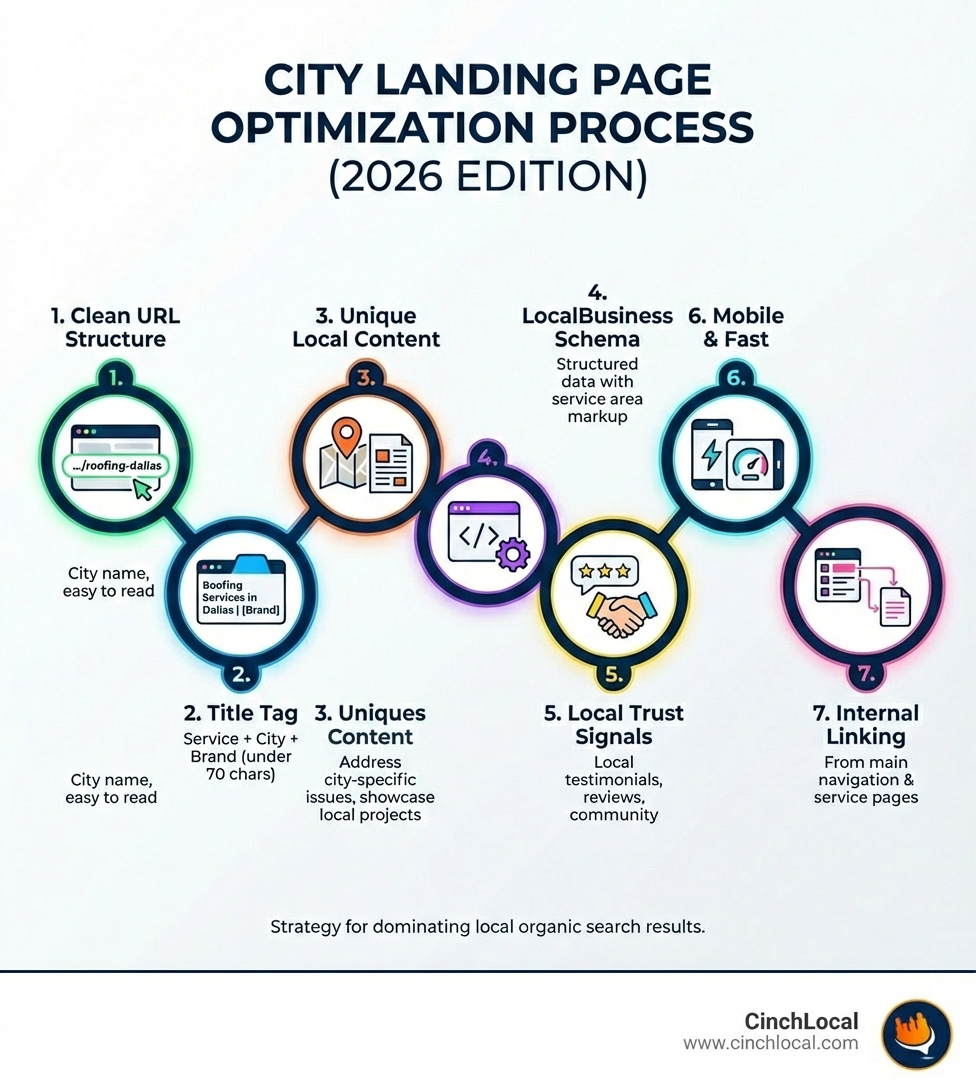
City landing pages SEO is the practice of creating and optimizing dedicated web pages for each city or town in your service area, allowing roofing contractors to rank in organic search results for locations where they don't have a physical office. Here's how to optimize them effectively:
Quick Answer: Optimizing City Landing Pages
- Unique URL Structure
- Use clean URLs like
yourcompany.com/roofing-dallas - Optimized Title Tags - Include city + service + brand (under 70 characters)
- Unique Local Content - Address city-specific roofing issues and showcase local projects
- LocalBusiness Schema - Implement structured data with service area markup
- Trust Signals - Feature local testimonials, reviews, and community involvement
- Mobile-Friendly Design - Ensure fast loading and responsive layout
- Internal Linking - Connect from main service pages and site navigation
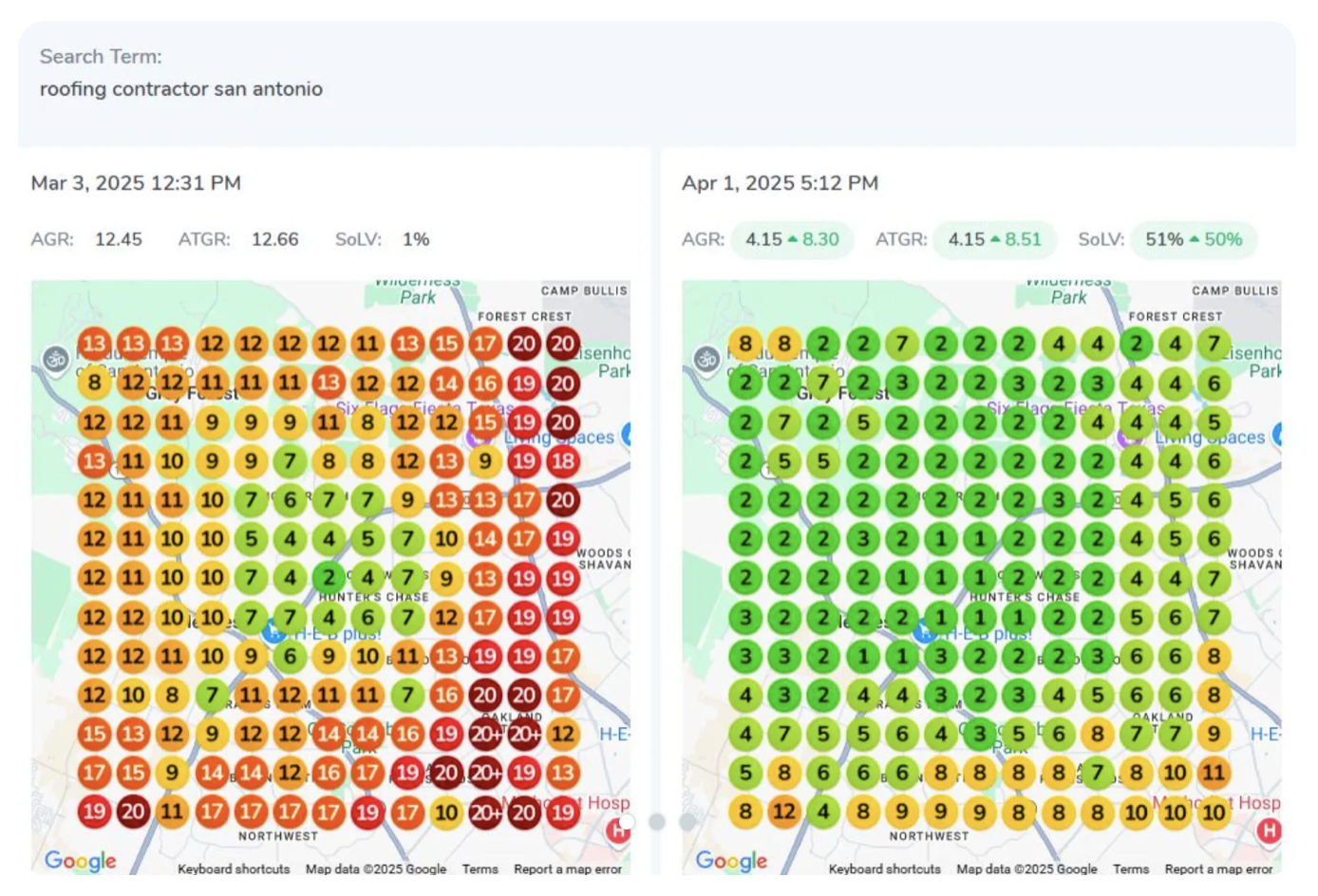
You know the frustration. Your roofing company does great work in your home city, but some of your most profitable jobs come from neighboring towns 15, 20, even 30 miles away. The problem? When homeowners in those towns search for "roof repair near me" or "roofers in their own city," you're invisible . Google's algorithm heavily favors proximity—if you don't have a physical office in that town, you won't show up in the Google Map Pack.
But here's what most roofing contractors don't realize: while you can't crack the Map Pack without a local address, you can dominate the organic search results below it. That's where city landing pages come in.
A well-optimized city landing page acts as your digital storefront in every town you serve. It signals to Google that you're a legitimate, active service provider in that specific area—even without a physical location. When done right, these pages capture high-intent leads searching for roofing services in your target cities, often with less competition than the Map Pack.
The challenge is that most roofing contractors get city pages wrong. They either create thin, duplicate pages that Google ignores (or worse, penalizes), or they don't create them at all and leave money on the table. According to industry research, 98% of consumers use the internet to find local businesses, and if you're not visible in their search results, you simply don't exist to them.
This blueprint will show you exactly how to build city landing pages that rank, convert, and expand your roofing business's reach across your entire service area. You'll learn the essential on-page elements, how to create unique content at scale, the technical SEO requirements, and how to avoid the common pitfalls that tank most contractors' efforts. Whether you serve 5 cities or 50, this is your roadmap to consistent, predictable lead generation from every town in your territory.
I'm Cary Byrd, CEO of CinchLocal , and over the past decade, I've helped hundreds of roofing contractors implement city landing pages SEO strategies that have generated millions of dollars in new business. My approach focuses on creating high-quality, conversion-focused pages that work alongside a comprehensive local SEO strategy to help you dominate your market.
The Foundation: Why City Pages Are Essential for Roofers
City landing pages are dedicated pages on your website, each optimized for a specific service (like "emergency roof repair") in a specific city or town—even if you don’t have a physical office there. For service area businesses (SABs) like roofing contractors, these pages are critical. While ranking in the Google Map Pack without a local address is nearly impossible, well-optimized city pages can secure top positions in organic search results, driving significant traffic and leads. This approach directly addresses the proximity bias in Google’s algorithm and empowers you to compete in lucrative neighboring markets.
City landing pages
are fundamentally different from traditional location pages. A location page is typically for a brick-and-mortar business with a physical storefront or office where customers visit (e.g., yourcompany.com/locations/dallas-office
). In contrast, a city page, often called a service area page, is designed for businesses like ours – roofing contractors who travel to serve customers at their homes. We don't have a physical storefront in every city we serve, so these pages allow us to establish a digital presence and relevance in those areas.
Why do these pages matter so much for local SEO? Google's local algorithm is set up to only rank businesses close to the searcher. For us, this means it's nearly impossible to appear in the coveted Google Map Pack for a city where we don't have a physical office. However, city landing pages allow us to earn organic search engine rankings for local intent keywords even without a storefront in a city, expanding our brand visibility. They act as helpful content for customers seeking local providers and can help mitigate ranking disadvantages faced by Service Area Businesses (SABs) compared to brick-and-mortar competitors. This is how we overcome that Google/SAB imbalance in local search results.
This strategy is especially powerful when we consider that 98% of users search online for local businesses. If we want to capture that demand, we need to be visible where they are searching. By creating custom city pages, we're making our business appealing to local searchers through relevance and proximity, even if our physical location is elsewhere. It's a key part of mastering local city SEO for contractors.
Blueprint for a High-Ranking City Landing Page: Essential On-Page Elements
Structuring URLs, Title Tags, and Meta Descriptions for City Landing Pages SEO
The journey to a high-ranking city page begins with the basics of on-page SEO. A well-structured URL, compelling title tag, and action-oriented meta description are the first steps to ranking and converting. Users are more likely to click on a simple, keyword-rich URL. We recommend a clean URL structure where the location page slug is the location name, such as yourroofingcompany.com/roofing-dallas
. This clearly tells both users and search engines what the page is about.
Title tags are critical SEO real estate. They should include your target city, the service (e.g., "roof repair," "roof replacement"), and your brand name. For example, "Expert Roof Repair in Dallas, TX | Your Company Name." Keep title tags between 55 and 70 characters in length to avoid truncation in search results. While content beyond 60 characters might be cut off visually, everything behind that ellipsis still drives relevance.
Meta descriptions provide a short summary of your page. They should be compelling, include your target city and service, and encourage users to click. Aim for about 150 to 160 characters to avoid truncation. A strong meta description can significantly improve your click-through rate (CTR), which is a strong ranking signal. For more on optimizing these crucial elements, check out our guide on how to dominate local search as a roofer.
Core Content and Heading Structure
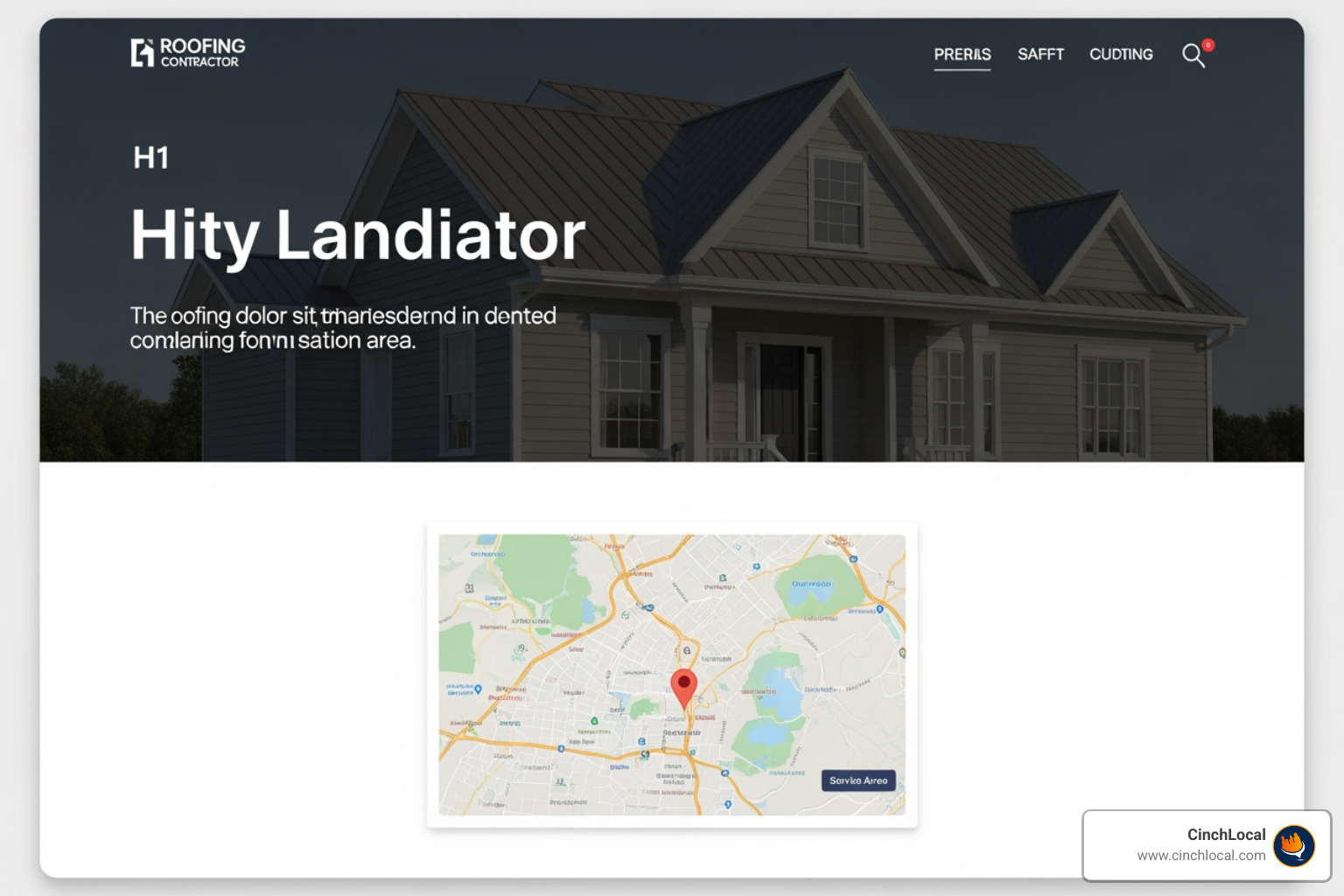
The content on your city page is where you truly demonstrate local relevance and expertise. Your H1 tag should clearly state the page’s primary purpose and include your main keyword and location, such as "Your Trusted Roofing Contractor in Dallas." This immediately confirms to visitors that they’ve landed on the right page for their local needs.
We must ensure that the target keyword appears in prominent locations such as the URL, title tag, H1 tag, and within the first 100 words of the intro content. This helps Google understand the page's focus. The introductory paragraph should be customer-centric, addressing local roofing concerns directly.
Crucially, include your business Name, Address (if applicable, though for SABs this is often hidden on your Google Business Profile), and Phone Number (NAP) on the page. Consistency of NAP across your website and all online listings is vital for local SEO.
An embedded Google Map is also important. This should outline your service area or show your actual business location (if you have one in that city), rather than a fake address pin. This visually reinforces your presence and helps Google understand your geographical context. Proper heading hierarchy (H1, H2, H3) not only makes your content more readable for users but also signals importance to search engines.
Leveraging Images and Videos for Local Impact
Visuals are powerful. We recommend using high-quality, geo-tagged images of your team working on actual roofing projects in the target city. Don't just use generic stock photos. Name your image files descriptively, such as roof-replacement-dallas-tx.jpg
, and use detailed alt text that describes the image and includes relevant keywords (e.g., "New asphalt shingle roof installation by Your Company Name in Dallas, Texas"). This helps with image search traffic and accessibility.
Video content can significantly improve engagement. Consider including video testimonials from local customers discussing their positive experiences with your roofing services in that specific city. Short case studies showcasing a particular roof repair or replacement project completed in the target city can also build immense trust. This type of rich media signals to Google that you provide helpful, people-first content, which is highly valued in their ranking algorithms.
Building Unbeatable Trust with Unique City-Specific Content
The most common mistake with city pages is using duplicate or "spun" content. This is when you take a generic service description and simply swap out the city name, hoping Google won't notice. Trust us, Google notices. This can result in Google flagging your pages as "doorway pages" and penalizing your site, which can be devastating for your overall SEO efforts. The solution is to create genuinely unique and valuable content for every city page.
How to Create Unique and Engaging Content for City Landing Pages
To avoid the doorway page penalty and truly stand out, we must think like a local. Instead of generic service descriptions, address city-specific issues that resonate with homeowners in that area. For example, for Dallas, Texas, you might discuss "hail-resistant shingles for Dallas’s storm season" or "flat roof solutions for commercial properties in downtown Dallas." For a city like Lakewood, California, perhaps "moss removal and treatment for roofs in Lakewood's humid climate" or "energy-efficient roofing options suitable for California's climate."
Include a mini case study of a specific job completed in that city, detailing the problem, your solution, and the positive outcome. Add a city-specific FAQ section that answers questions about local building codes, permit requirements, common roofing issues unique to that area (e.g., specific storm damage, heat considerations), or even questions about financing options available to residents in that county. Use tools like Semrush's Keyword Magic Tool or Answer the Public to identify how potential customers are searching for your services in specific local areas and reflect that language on your page. This level of detail demonstrates expertise and a genuine understanding of the local market, making your page much more valuable to both users and search engines. For more insights on boosting your online visibility, check out our guide to boosting online visibility for contractors.
Showcasing Trust Signals and Community Involvement
Trust is everything in the roofing industry. Homeowners want to hire a contractor they can rely on. Your city pages are the perfect place to build that trust. Feature testimonials and reviews specifically from customers in the target city. If possible, include their names and neighborhoods to make it even more authentic. We can use Yelp's embed feature to showcase reviews, but these cannot be marked up with rich snippet coding, as this is a violation of Google's guidelines. For unique testimonials provided directly, however, you can use Review snippet Schema markup to achieve rich snippets, though it's critical to follow Google's guidelines to the letter.
Display badges for local awards, certifications relevant to that city or state (e.g., California contractor licenses), or memberships in the local Chamber of Commerce or other business associations.
Highlight your community involvement. Have you sponsored a local high school sports team in a particular town? Participated in a city clean-up event? Donated to a local charity? Share these details on the relevant city page. This demonstrates a real connection to the community and sets you apart from out-of-town competitors who are just trying to grab leads. For example, offering clear guarantees like a "Lifetime Leak Warranty," "No-Lemon Guarantee," or "110% Money-Back Promise" on workmanship can significantly improve your trust signals and set you apart.
Advanced City Landing Pages SEO & Performance Tracking
Technical SEO Best Practices for City Landing Pages
Beyond compelling content, robust technical SEO ensures your city pages are findable and understood by search engines. We implement LocalBusiness
Schema markup on your city pages to provide search engines with specific, structured data about your services, contact information, and service area. This helps search engines parse complex information more easily and can lead to richer search results, potentially displaying your details directly in the SERP. Read Google’s tutorial on local business schema
for more details. After adding Schema, it's crucial to test that it's working using Schema’s Structured Data Testing Tool.
Each city page should be included in your XML sitemap to ensure proper indexing. A strong internal linking structure is also vital. Link from your main "Service Areas" page (or your homepage if you have a prominent service area section) to each individual city page. Additionally, link between related city pages or from service pages to relevant city pages. This helps distribute link equity and signals to Google the hierarchy and interconnectedness of your content.
Finally, mobile-friendliness is non-negotiable. Over 60% of Google’s U.S.-based organic search traffic is from a mobile device, and Google uses mobile-first indexing. We ensure your city pages are responsive, load quickly, and are easy to steer on any device. You can check your page's mobile performance using Google’s Mobile-Friendly Test.
Tracking Performance and Complementing with Paid Ads
Creating these pages is only half the battle; we need to track their performance to understand what's working. We recommend using unique call-tracking numbers and contact forms for each city page. This allows us to accurately attribute leads and measure the ROI of each page. Integrate these with Google Analytics to monitor traffic, bounce rates, and conversion goals.
Google Search Console is your best friend for understanding organic visibility. Monitor impressions, clicks, and keyword rankings for each city page. This data helps us refine our keyword strategy and identify opportunities for further optimization, leading to the kind of measurable growth you can see in our client results.
For highly competitive markets or when you need immediate results, complementing your organic city landing pages SEO efforts with paid advertising is a smart move. Google Local Services Ads (LSAs) are excellent for roofing contractors, appearing at the top of search results and featuring Google-vetted businesses. Google expanded its LSA product to more than 70 types of businesses, making it a powerful tool. If LSAs aren't an option or you want broader reach, a targeted PPC campaign can also drive immediate, high-intent traffic to your city pages. This integrated approach is a key part of a comprehensive roofing SEO strategy. For more on getting found online, explore our guide to getting your business on Google Maps.
Common Pitfalls & Strategic Considerations
Avoiding the "Doorway Page" Penalty
The biggest danger when creating city pages is falling into the "doorway page" trap. Google defines doorway pages as "sites or pages created to rank for specific, similar search queries that funnel users to an actual usable page." These are typically thin, low-value pages with duplicated content, often keyword-stuffed, that don't provide genuine value. They violate Google’s spam policies and can lead to severe penalties, harming your entire site’s rankings.
To avoid this, ensure every city page has substantial, unique content that genuinely helps the user. Integrate these pages into your main website navigation (e.g., under a "Service Areas" menu item) so they are easily findable and appear as a natural part of your site. Never copy a page and just swap the city name; each page must be a "final destination" that provides specific, helpful information for that locale.
How Many City Pages Are Too Many?
This is a question we hear often. While it's tempting to create a page for every tiny hamlet, our recommendation is to prioritize quality over quantity. Start with your 5-10 most important target cities – those with the highest population, most homeowners, or where you’ve had past success. This could be major metropolitan areas like Dallas or Atlanta, or key surrounding suburbs. It's far better to have five high-quality, high-ranking city pages that consistently generate leads than 50 thin, duplicate pages that Google ignores or penalizes.
Once you have a winning template and a proven process for creating truly unique, valuable content for these core cities, you can strategically scale your efforts to other areas. Google's local algorithm is set up to only rank businesses close to the searcher, so focusing your efforts on the most impactful areas will yield the best results for your roofing business in Ohio, Tennessee, Georgia, or California.

Researching Competition and When to Hire a Pro
Before you dive into building your city pages, perform a thorough competitor analysis. Search "roofers in [target city]" and analyze the top-ranking organic pages. What do they do well? What content are they including? Where are their gaps that you can exploit? This research will inform your content strategy and help you identify opportunities to outshine them.
Creating dozens of unique, well-optimized city pages, each with local specifics, testimonials, and detailed service information, is a significant undertaking. If the mere thought of writing thousands of words of unique, engaging content sounds daunting, you're not alone. Many roofing contractors find this to be a major hurdle. In such cases, consider hiring a professional copywriter who specializes in local SEO content. Even better, partnering with a specialized agency like CinchLocal can ensure the job is done right, leveraging our expertise to create high-performing pages that align with Google's best practices and drive tangible results. Understanding how much do SEO services cost can help you budget for this crucial investment.
Frequently Asked Questions about City Landing Pages for Roofers
How do city pages help a roofer rank in a city without a physical office?
City pages allow us to create a highly relevant page for searches like "roofing services in Dallas" even if our office is in Fort Worth. By optimizing the page’s content, titles, and technical elements for "Dallas," we signal to Google that we are a primary provider in that area. This enables us to rank in the organic search results, capturing leads where we otherwise wouldn’t appear in the local pack.
How can I make content unique for 10 different city pages?
The key is hyper-localization. For each city, we include a unique project case study (with photos and details), testimonials from actual local clients, mention local landmarks or specific neighborhoods, discuss roofing solutions custom for the area’s specific climate (e.g., hail, high winds, snow, extreme heat), and answer FAQs about local building codes, permits, or common roofing issues specific to that municipality or county.
Are city pages the same as location pages?
No, they are distinct. A location page is typically for a physical office, storefront, or showroom that customers can visit (e.g., yourcompany.com/locations/dallas-office
). A city page (or service area page) is for a city you serve but where you do not have a physical storefront (e.g., yourcompany.com/roofing-plano
). This distinction is critical for service area businesses like roofing contractors, as it allows us to target multiple service areas without needing a physical address in each.
Conclusion: Build Your Digital Empire, One City at a Time
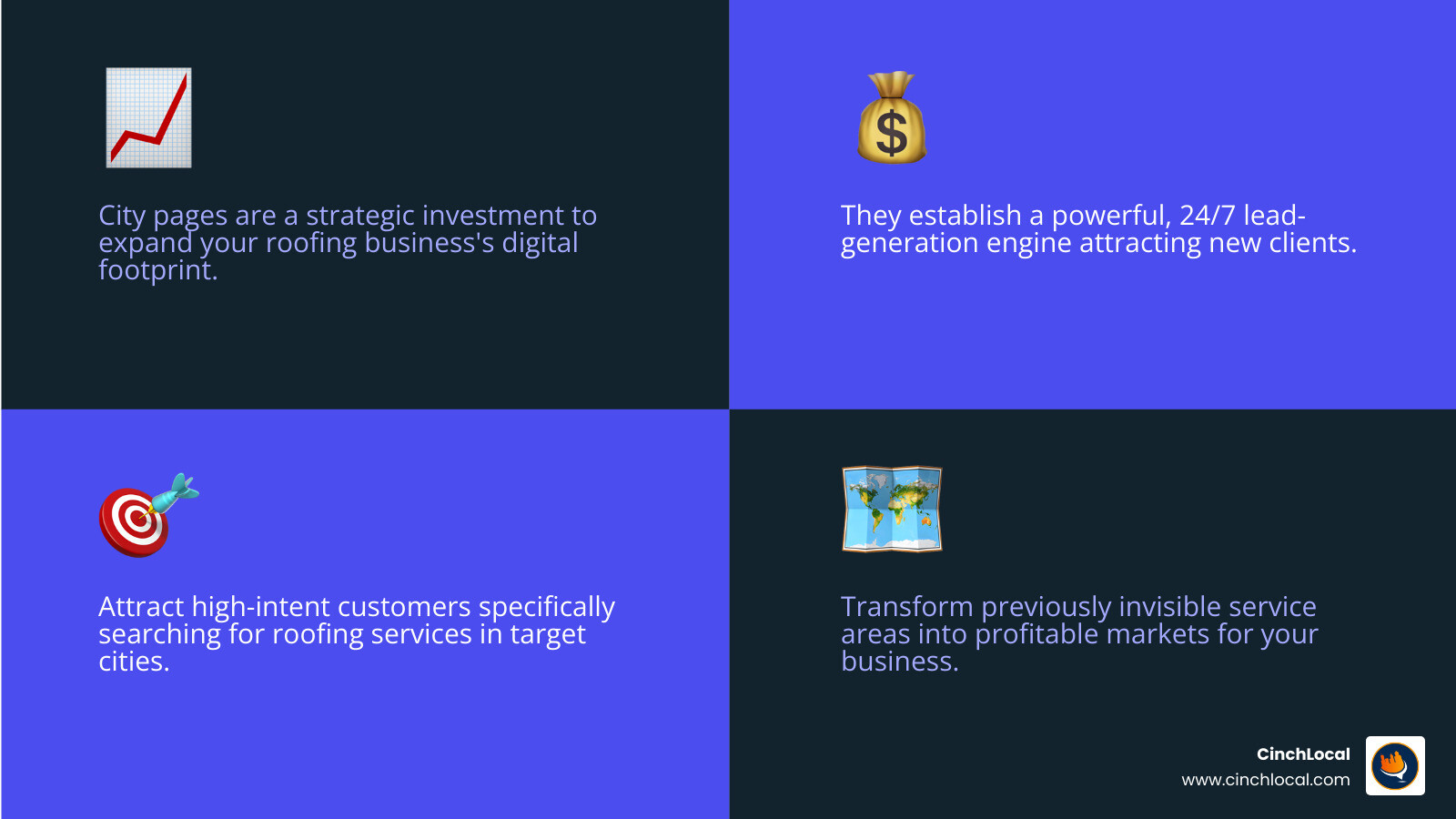
City landing pages SEO is not just an SEO tactic; it's a strategic investment in expanding your roofing business’s digital footprint and securing your future growth. By following this blueprint—focusing on unique, trustworthy content, robust technical SEO, and smart performance tracking—you can establish a powerful lead-generation engine that works for you 24/7. This approach attracts high-intent customers across your entire service area, turning previously invisible markets into profitable opportunities.
Ready to expand your reach and dominate your local market? We've helped numerous roofing contractors in Ohio, Tennessee, Georgia, and California achieve significant growth through our specialized strategies. Our proven track record speaks for itself; you can see how top local SEO companies deliver results.
If you're ready to see similar success, contact CinchLocal for a free consultation and find out how our Roofer Footprint Expansion System can help you grow your roofing business, one thriving city at a time.
Want Us to Uncover Hidden 'Footprint Gaps' And Critical Blind Spots That’s Quietly Draining Calls, Jobs, and Profits?
Simply Fill Out The Form Below:
What If You Could Stop Wasting $30K+ a Year on Dead-End Marketing - And Finally Become the Go-To Roofer in Your City?
Other Helpful Articles You Might Enjoy