

Cary Byrd // Founder of CinchLocal
Why Bing Local Search is a Hidden Goldmine for Roofing Contractors
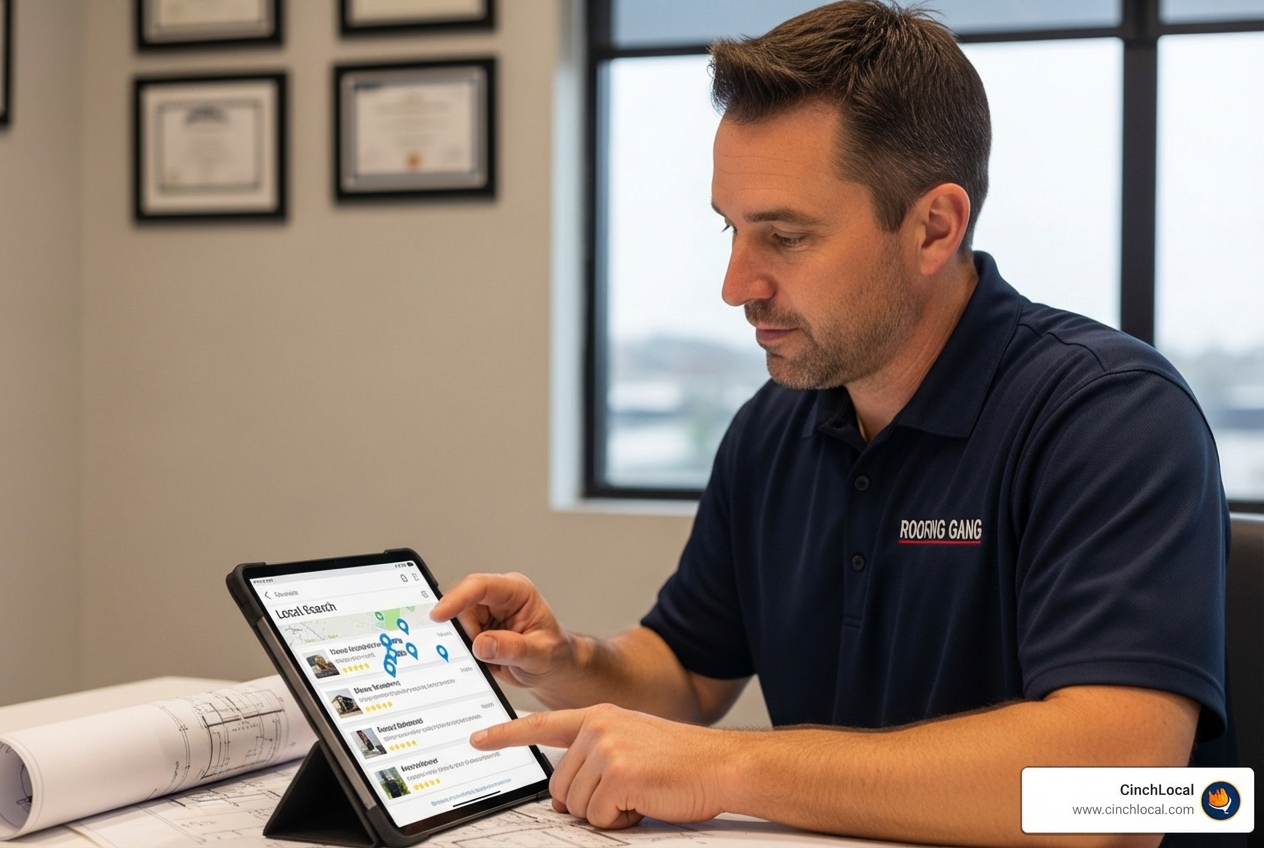
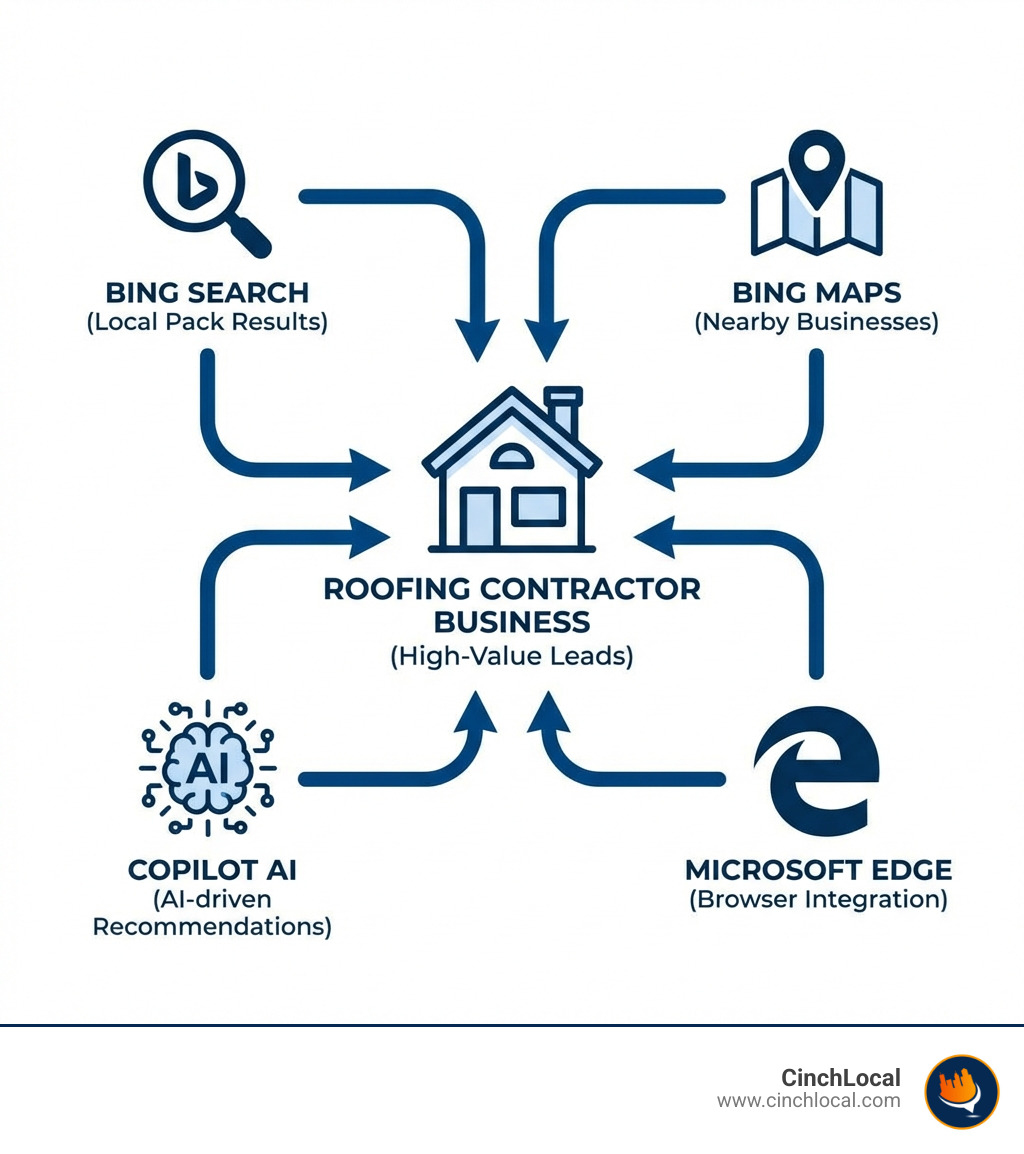
Bing local search is Microsoft's platform for helping customers find businesses in their area through Bing Search, Bing Maps, and integrated Microsoft products like Windows, Edge browser, and Copilot AI. Here's what you need to know:
What Bing Local Search Includes:
- Bing Places for Business - Your free business listing (similar to Google Business Profile)
- Bing Maps - Map-based search results showing nearby businesses
- Local Pack Results - The top 3-5 business listings that appear for local searches
- AI Integration - Your business can appear in Copilot and ChatGPT responses
- Microsoft Ecosystem - Visibility across Windows Search, Edge browser, and Office products
Key Benefits for Roofers:
- Reaches older professionals and homeowners (prime roofing customers)
- Less competition than Google
- Powers approximately 3.9% of search traffic, plus significant reach through Microsoft products
- Recently rebuilt with modern AI-driven features for business owners
While many contractors focus all their energy on Google, a complete digital marketing strategy for your roofing business requires casting a wider net. Bing local search represents a powerful, often-overlooked channel to connect with high-value customers who are actively looking for roofing services.
Think about it: when a homeowner searches for "emergency roof repair near me" on their Windows computer or asks Microsoft's Copilot for roofing recommendations, your business could be the first one they see. These aren't casual browsers—they're decision-makers with purchasing power who need your services right now.
The statistics tell a compelling story. Bing powered around 3.9 percent of traditional web search traffic, but its reach extends far beyond that number when you factor in Microsoft Copilot, Edge browser, Windows search features, and ChatGPT's Bing integration. For roofing contractors competing in crowded local markets, this represents untapped opportunity.
The Bing advantage is particularly strong for home service businesses. The platform's user base skews toward older professionals and established homeowners—exactly the demographic most likely to need roof replacements, repairs, and premium roofing services. These customers typically have higher budgets and make faster decisions than the average consumer.
In this guide, we'll walk you through everything you need to know to get your roofing company seen by more local customers on Bing. You'll learn how to claim and optimize your Bing Places for Business listing, leverage new AI-driven features, and implement advanced strategies that most of your competitors are completely ignoring.
I'm Cary Byrd, CEO and founder of CinchLocal, and over the past decade building digital marketing systems for businesses, I've helped countless roofing contractors expand their visibility across all search platforms, including mastering bing local search to capture high-intent leads that their competitors miss. This guide distills those proven strategies into actionable steps you can implement today.
Basic bing local search terms:
What is Bing Local Search and Why It Matters for Your Roofing Business
Bing local search is Microsoft's answer to connecting local businesses with nearby customers. At its core, it’s a comprehensive ecosystem designed to help users find services and products in their vicinity through various Microsoft platforms. For roofing contractors, understanding this system is key to expanding your online footprint beyond just Google.
So, how does it work? When a potential customer types a query like "roofing contractor in Ohio" or "roof repair near me in Tennessee" into Bing, Edge, or even asks Copilot, Bing's local search algorithms kick in. They analyze the searcher's location, the keywords used, and the relevance of local business listings to present the most accurate and helpful results. These results often appear as:
- Bing Places for Business Listings: Detailed profiles for local businesses, including contact information, hours, photos, and reviews.
- Bing Maps Local Pack Results: A prominent display of 3-5 top local businesses directly within the search results, often accompanied by a map.
- Integrated Experiences: Recommendations within Microsoft Copilot, Edge browser suggestions, and even Windows Search results can highlight your business.
The significance of Bing local search for your roofing business lies in its unique user base and deep integration with Microsoft products. While Bing may capture a smaller percentage of overall web searches compared to some competitors, its audience is particularly valuable for home service providers. Bing's user base tends to skew towards older professionals and homeowners, a demographic that is more likely to own property and require significant home improvements like roofing services.
Imagine a homeowner in Georgia or California using their Windows desktop, browsing with Edge, and suddenly needing an urgent roof inspection after a storm. Their first instinct might be to use the integrated search features they're familiar with. If your Bing Places listing is optimized, your business could be the immediate solution they find. This direct line to high-intent homeowners makes Bing an indispensable part of a robust local SEO strategy for contractors.
The integration of Bing local search with Microsoft's broader ecosystem—Copilot, Edge, and Windows—means your business can be found through multiple touchpoints. Copilot, Microsoft's AI assistant, can recommend your business in conversational queries, providing a modern, AI-driven pathway for leads. This multi-platform visibility is a powerful advantage, ensuring your roofing company is present wherever potential customers are searching within the Microsoft universe.
Setting Up for Success: Your Guide to Bing Places for Business
Getting your roofing company listed and optimized on Bing starts with Bing Places for Business. This platform is your central hub for managing your online presence across Bing's local search ecosystem. Think of it as your digital storefront on Bing, crucial for ensuring your business appears in relevant local searches.
Microsoft recently announced a major overhaul of Bing Places for Business, introducing a completely new experience built on user feedback and modern AI-driven design. This rebuild makes the platform more intuitive and powerful for business owners like you. The entire process has been streamlined and is now managed directly through the main Bing ecosystem, accessible at the official Bing Places for Business portal.
How to Claim and Optimize Your Roofing Company's Listing
Claiming and optimizing your listing on Bing Places for Business is a straightforward process, but attention to detail is paramount for roofing contractors. Here’s how you can do it:
- Go to Bing Places for Business: Steer to bing.com/forbusiness.
- Sign In: Use your Microsoft or Google account to sign in.
- Search for Your Business: Enter your business name and location (e.g., "CinchLocal Roofing, Ohio"). If it exists, claim it. If not, add a new business.
- Import from Google Business Profile: One of the most significant new features is the ability to easily import your Google Business Profile. This saves a tremendous amount of time, automatically syncing key information like your business name, address, phone number (NAP), hours, and photos. This ensures consistent information across major platforms—a vital factor for your roofing SEO service.
- Verify Your Business: Bing will require verification, usually through a postcard sent to your business address or a phone call. This step confirms you are the legitimate owner.
- Complete Your Profile:
This is where the optimization magic happens.
- NAP Consistency: Double-check that your Name, Address, and Phone number are identical to what's listed on your website and other online directories. Inconsistencies can confuse search engines and customers.
- Service Categories: Select the most accurate and specific categories for your roofing business. Don't just pick "Contractor"; choose "Roofing Contractor," "Roof Repair," "Roof Installation," "Commercial Roofing," etc. Be thorough.
- Service Areas: Clearly define the cities and zip codes you serve within Ohio, Tennessee, Georgia, or California. For service-area businesses, you can hide your physical address while still specifying your operational reach.
- Business Hours: Keep these accurate and updated, especially for emergency services.
- High-Quality Photos and Videos: Upload professional images of your team, completed projects (residential and commercial roofs), your vehicles, and even short videos of job sites. Showcase your craftsmanship! A stunning photo of a new metal roof installation in California can make a huge difference.
- Description: Write a compelling, keyword-rich description of your services, highlighting your expertise, unique selling propositions, and the types of roofing (asphalt, metal, tile, flat roofs) you specialize in.
- Website and Contact Info: Ensure your website URL, phone number, and email address are correct and easily clickable.
Optimizing your profile with accurate and comprehensive information is a fundamental component of any effective local SEO strategy, including for roofing SEO in 2025: your blueprint for local domination.
Leveraging New Features for Maximum Visibility
The recent overhaul of Bing Places for Business brings several powerful new features designed to boost your roofing company's visibility. Microsoft's commitment to an AI-driven design means these tools are smarter and more user-friendly.
The most significant improvement is the unified experience
under bing.com/forbusiness
. Everything now lives in one place, making it easier to manage your listing alongside other Bing services.
A standout feature is the Recommendation Tool . This acts like a built-in AI assistant, analyzing your listing's "health" and offering custom suggestions for improvement. For example, it might suggest adding more photos of your recent shingle roof replacement projects in Georgia, or remind you to include specific services like "storm damage assessment" or "skylight installation." This tool helps ensure your listing is as complete and optimized as possible, directly impacting your visibility in Bing local search results. Microsoft detailed this in their October 2023 announcement of the new Bing Places for Business.
The simplified dashboard also offers bulk editing capabilities , which is a godsend for roofing companies with multiple locations across Ohio, Tennessee, Georgia, and California. You can quickly update information across all your profiles, ensuring consistency and saving valuable time.
Finally, the analytics dashboard provides valuable insights into how customers are interacting with your listing. You can track views, clicks to your website, phone calls, and direction requests. Understanding these metrics is crucial to mastering your roofing lead generation, allowing you to refine your strategy and focus on what drives the most qualified leads.
Advanced Strategies for Dominating Bing Local Search
Optimizing your Bing Places for Business listing is just the first step. To truly dominate Bing local search and capture more roofing leads, we need to implement advanced strategies that integrate with your overall online presence.
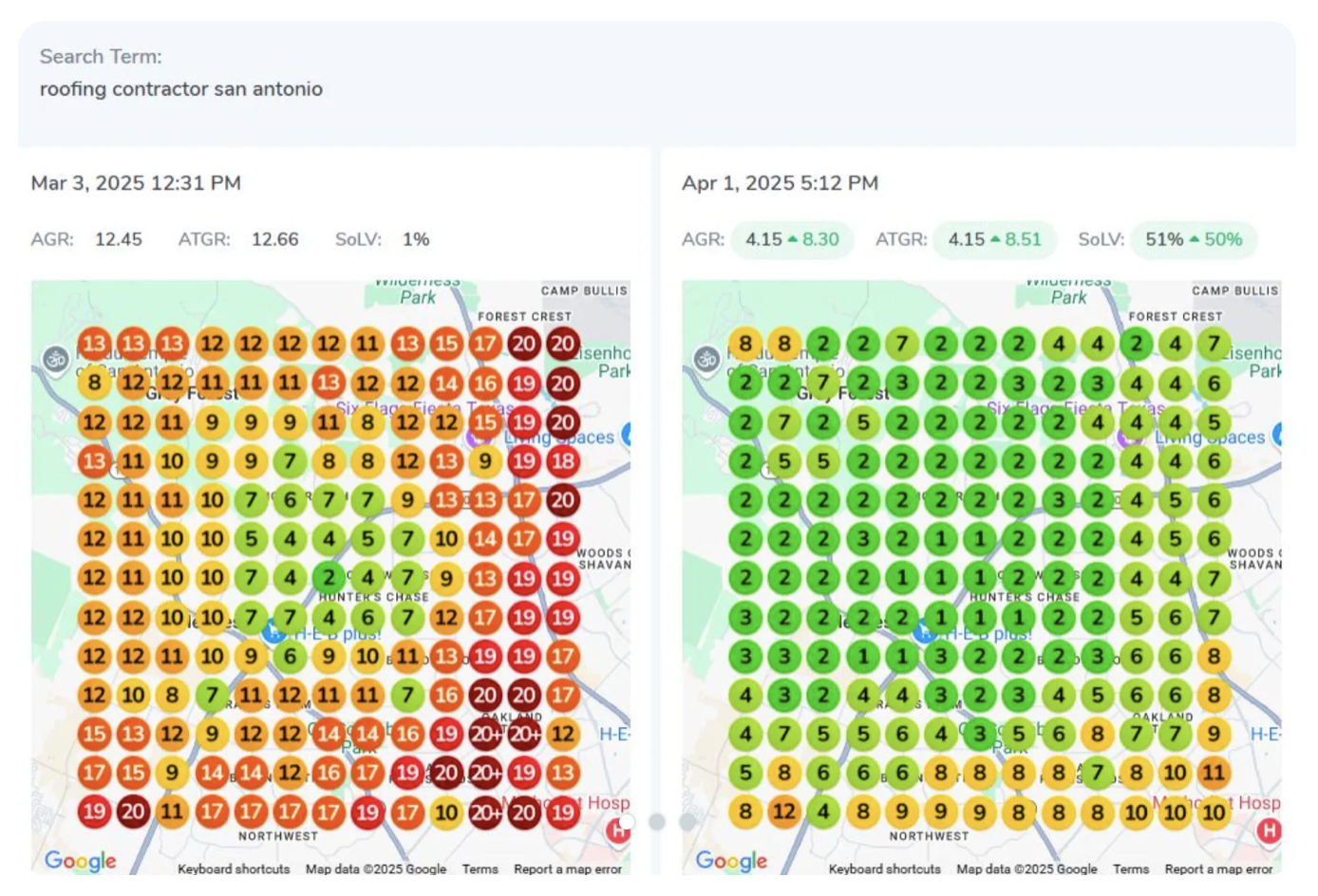
These strategies go beyond basic profile completion and involve a holistic approach to your digital marketing efforts:
- Local Content Strategy: Create content on your website that speaks directly to the needs of homeowners in your specific service areas. For example, articles like "Common Roof Problems in California's Climate" or "Choosing the Best Shingles for Tennessee Weather."
- Local Backlink Building: Earn links from other reputable local businesses, community organizations, and local news sites. This builds authority and relevance for your specific geographic areas.
- Schema Markup: Implement structured data on your website to help Bing (and other search engines) better understand your business information, services, and location.
- Online Review Management: Actively solicit and respond to reviews on Bing Places. Positive reviews build trust, and thoughtful responses show you value customer feedback.
- Local Inventory Ads: While primarily for retail, roofing suppliers or contractors offering specific products might be able to leverage this in the future, showcasing specific shingle types or materials available.
Best Practices for Optimizing Your Website for Bing
Your website plays a critical role in how well your roofing business performs in Bing local search . Bing's algorithms crawl your site to gather information and assess its relevance to local queries.
- Location-Specific Landing Pages: For each major city or region you serve (e.g., Columbus, Ohio; Nashville, Tennessee; Atlanta, Georgia; Los Angeles, California), create dedicated landing pages. These pages should be rich with local keywords and content. For example, a page titled "Commercial Roof Repair in Atlanta, GA" should discuss local building codes, common commercial roofing challenges in Atlanta, and showcase projects completed in that area.
- Geo-Targeted Keywords: Integrate keywords that combine your services with specific locations throughout your website content, meta descriptions, and page titles. Think "best residential roofer Columbus Ohio" or "emergency flat roof repair Nashville TN."
- Mobile-Friendliness: Ensure your website is fully responsive and loads quickly on mobile devices. Many local searches happen on smartphones, and a poor mobile experience will deter potential customers.
- NAP on Website Footer: Make sure your consistent Name, Address, and Phone number are clearly visible on every page of your website, ideally in the footer.
- Schema Markup Implementation: This is a technical but powerful optimization. Implementing local business schema markup helps Bing understand details like your business type, address, phone number, hours, and reviews. This can lead to richer search results and improved visibility. Creating a dedicated page for "TPO Commercial Roofing in Ohio" with relevant details and customer testimonials is a powerful signal. Implementing the right code on your site is also critical, which is why understanding Schema Markup for Local SEO is so important.
How to Leverage Bing Local Search in Your Marketing Strategy
Beyond basic optimization, roofing contractors can use Bing local search to gain a competitive edge in their marketing efforts.
- Product Markup: If you offer specific roofing products (e.g., GAF Timberline shingles, Owens Corning Duration, CertainTeed Landmark) or related services that can be itemized, consider using product markup on your website. This structured data helps Bing understand and display specific product information directly in search results, potentially attracting customers looking for those exact items. A roofer can use this feature to highlight specific brands or to promote a seasonal "free gutter cleaning with roof replacement" offer. You can enable this visibility by using product markup on your website.
- Local Inventory Ads: While traditionally for retail, Bing is expanding its local store search capabilities to include inventory availability and "buy online, pick up in-store" options. For roofing contractors who might also sell DIY supplies, specific tools, or offer unique roofing accessories, keeping an eye on this feature could open new avenues for local lead generation. It allows you to showcase specific offerings and attract customers actively searching for them.
- Showcasing Services with Rich Details: Use your Bing Places listing and website to extensively detail your services. Don't just say "roof repair." List specific types of repairs (leak detection, shingle replacement, flashing repair), different shingle types you work with, and warranty information for your installations. This level of detail helps Bing match your business with highly specific, high-intent queries.
This advanced approach to leveraging Bing local search is a crucial component of a comprehensive digital marketing strategy. For roofing contractors ready to implement these tactics and see a measurable increase in leads, our team is here to help. Learn more about how we build a dominant online presence by exploring our roofing SEO services.
The Developer's Corner: Understanding the Bing Maps Local Search API
While most roofing contractors will primarily interact with Bing Places for Business, understanding the Bing Maps Local Search API offers insight into the underlying technology and its evolution. This API allowed developers to integrate Bing local search capabilities directly into their own applications, websites, and custom tools.

The Bing Maps Local Search API was a powerful REST API that enabled developers to:
- Query Search: Find businesses based on a free-form query string (e.g., "roofers in Columbus, Ohio" or "emergency roof repair Nashville").
- Entity Type Search: Search for businesses by specific categories or entity types (e.g., "RoofingContractor," "HomeImprovementService").
- Geographic Filtering: Restrict searches to a specific user location, a defined bounding box, or a circular radius (e.g., "roofers within 5 miles of this address in Atlanta, Georgia").
- JSON/XML Response: Retrieve structured data in JSON or XML format, including business name, address, phone number, website, and geographic coordinates.
- API Parameters:
Key parameters included
query,type,userLocation,userMapView,userCircularMapView, andmaxResults. - HTTP Status Codes: Standard codes like 200 (OK), 204 (No Content), and 400 (Bad Request) were used to indicate request success or failure.
This technology allowed for the creation of custom tools, like a "Find a Certified Installer" map on a manufacturer's website, by pulling business data directly from Bing.
The API Retirement and Migration to Azure Maps
Here's an important update for any roofing contractor or developer who might have used or considered the Bing Maps Local Search API: it's undergone significant changes. The Bing Maps Local Search API has been deprecated for all free (Basic) account customers and is now retired.
For Enterprise account customers, the API is still available but with a clear end-of-life date: June 30, 2028 . After this date, it will also be retired.
What does this mean? Microsoft is transitioning its enterprise mapping and geospatial services to Azure Maps . Azure Maps is Microsoft's next-generation platform, offering many of the same features as Bing Maps for Enterprise, plus additional functionalities and scalability.
Implications for Businesses and Developers:
- For Free Account Users: If you were using the free tier of the Bing Maps Local Search API, you must migrate to Azure Maps. This involves creating a free Azure subscription and an Azure Maps account.
- For Enterprise Account Users: You have until June 30, 2028, to transition your applications to Azure Maps, specifically to the Azure Maps Get Search POI API. Planning this migration well in advance is crucial to avoid service disruptions.
- For Roofing Contractors: While this primarily affects developers, if your website or any third-party tools rely on this specific API for displaying local business data or maps, you'll want to ensure your webmaster or development team is aware of this change and plans for the migration.
The detailed documentation for this transition and the new Azure Maps services can be found on the official Local Search - Bing Maps Microsoft Learn page. Ensuring your website and its integrations are technically sound and up-to-date is a job for top roofing webmaster services.
Frequently Asked Questions about Bing Local Search for Roofers
As roofing contractors, you're constantly looking for ways to get ahead. Here are some common questions we hear about Bing local search and how it can benefit your business.
How does Bing local search compare to other platforms?
Bing local search offers unique advantages that complement your efforts on other platforms like Google Business Profile. While Google dominates overall search volume, Bing's integration with the Windows operating system, the Edge browser, and the AI-powered Copilot provides a distinct ecosystem. This means that a significant portion of its user base—often older professionals and established homeowners—are already within Microsoft's environment when they search. This demographic is a prime target for high-value services like roof replacements and repairs. For a deep dive into local SEO best practices that apply across platforms, check out our guide on how to dominate local search as a roofer.
How long does it take to see results after optimizing my Bing Places listing?
You can expect your business information to appear in Bing local search results within a few days to a week after your listing is verified. However, achieving top rankings for competitive terms like "roofer near me" or "best roofing contractor California" requires a consistent, long-term optimization strategy. This includes regularly updating your profile, accumulating positive reviews, optimizing your website, and building local citations. Think of it as a marathon, not a sprint. Consistency is key to long-term visibility and lead generation. This concept is explored further in our guide to home service SEO: your blueprint to online visibility.
Do I need a physical office to list my roofing business on Bing?
Bing Places for Business is primarily designed for businesses with a physical location that customers can visit. However, as a service-area business (which most roofing contractors are), you absolutely can and should list your business. During the setup process, you will register your business address, but you'll also have the option to hide it from the public map view . Instead, you can define the specific cities, counties, or zip codes you serve within states like Ohio, Tennessee, Georgia, or California. This ensures you appear in relevant local searches without exposing your home office or administrative location to the public, aligning perfectly with how service businesses operate.
Conclusion
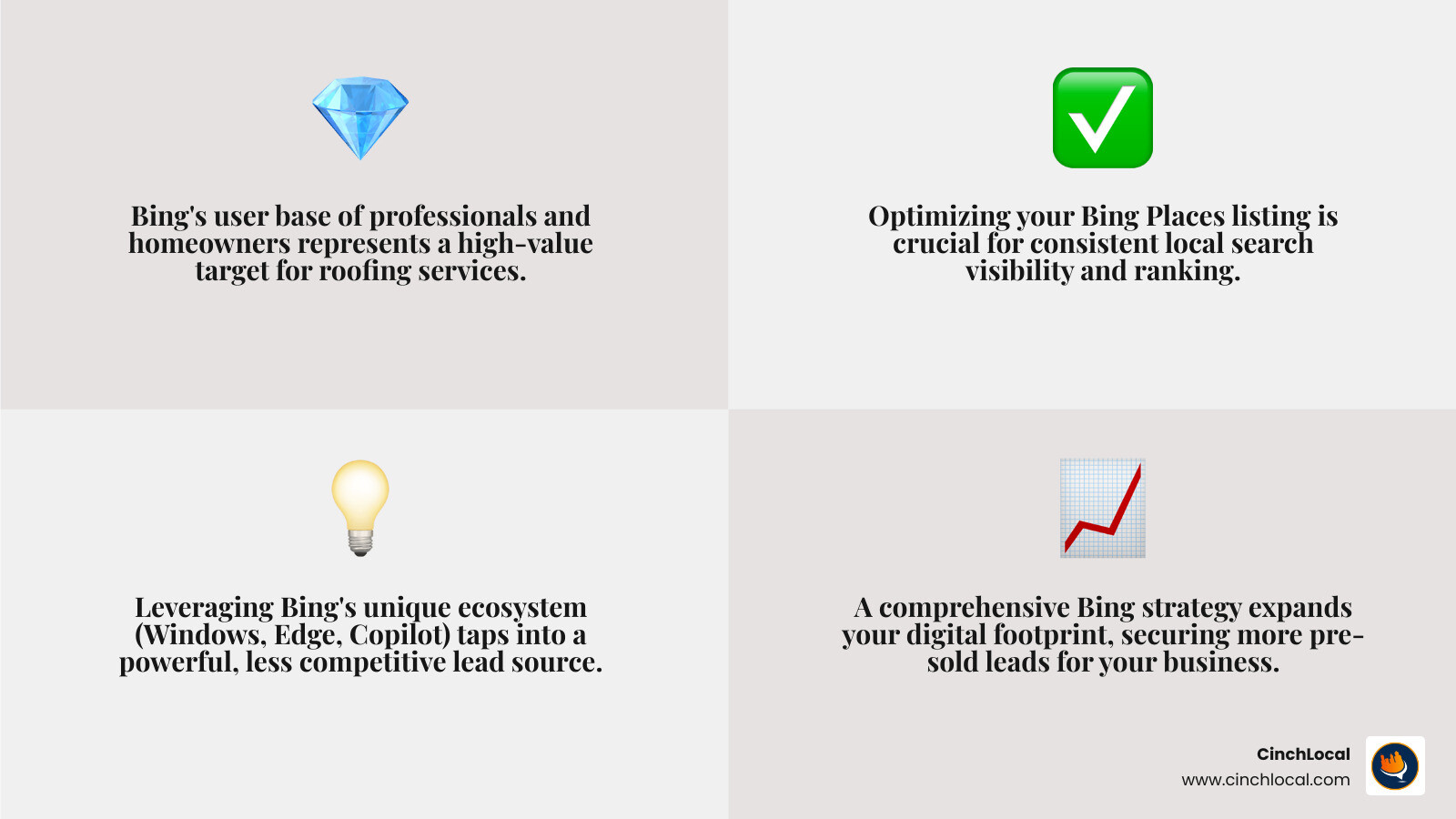
We've covered a lot of ground today, from understanding what Bing local search is and why it matters for your roofing business, to setting up and optimizing your Bing Places for Business listing, leveraging advanced strategies, and even touching on the technical aspects of its API evolution.
The key takeaway is this: while you focus on managing crews, securing materials, and installing quality roofs, the digital landscape continues to evolve. Ignoring Bing means leaving valuable, high-intent leads on the table for your competitors. Its unique user demographic and deep integration within the Microsoft ecosystem offer a powerful, often less competitive, channel to connect with homeowners and commercial property managers actively seeking roofing services in Ohio, Tennessee, Georgia, and California.
Taking the time to claim and fully optimize your Bing Places for Business listing is a critical step in building a dominant online presence. By embracing Bing's new AI-driven features, maintaining a strong online reputation, and aligning your website's local SEO with Bing's algorithms, you position your roofing company for significant growth.
For roofing contractors ready to expand their digital footprint and secure more pre-sold leads across all major search platforms, expert help is available. The team at CinchLocal specializes in helping roofers like you dominate their local market. Ready to see real results? Contact CinchLocal today for a free consultation.
Want Us to Uncover Hidden 'Footprint Gaps' And Critical Blind Spots That’s Quietly Draining Calls, Jobs, and Profits?
Simply Fill Out The Form Below:
What If You Could Stop Wasting $30K+ a Year on Dead-End Marketing - And Finally Become the Go-To Roofer in Your City?
Other Helpful Articles You Might Enjoy