

The DIY Guide to Using a Google Earth Roof Area Calculator

Cary Byrd // Founder of CinchLocal
Why the Google Earth Roof Area Calculator Is Every Roofer's Secret Weapon
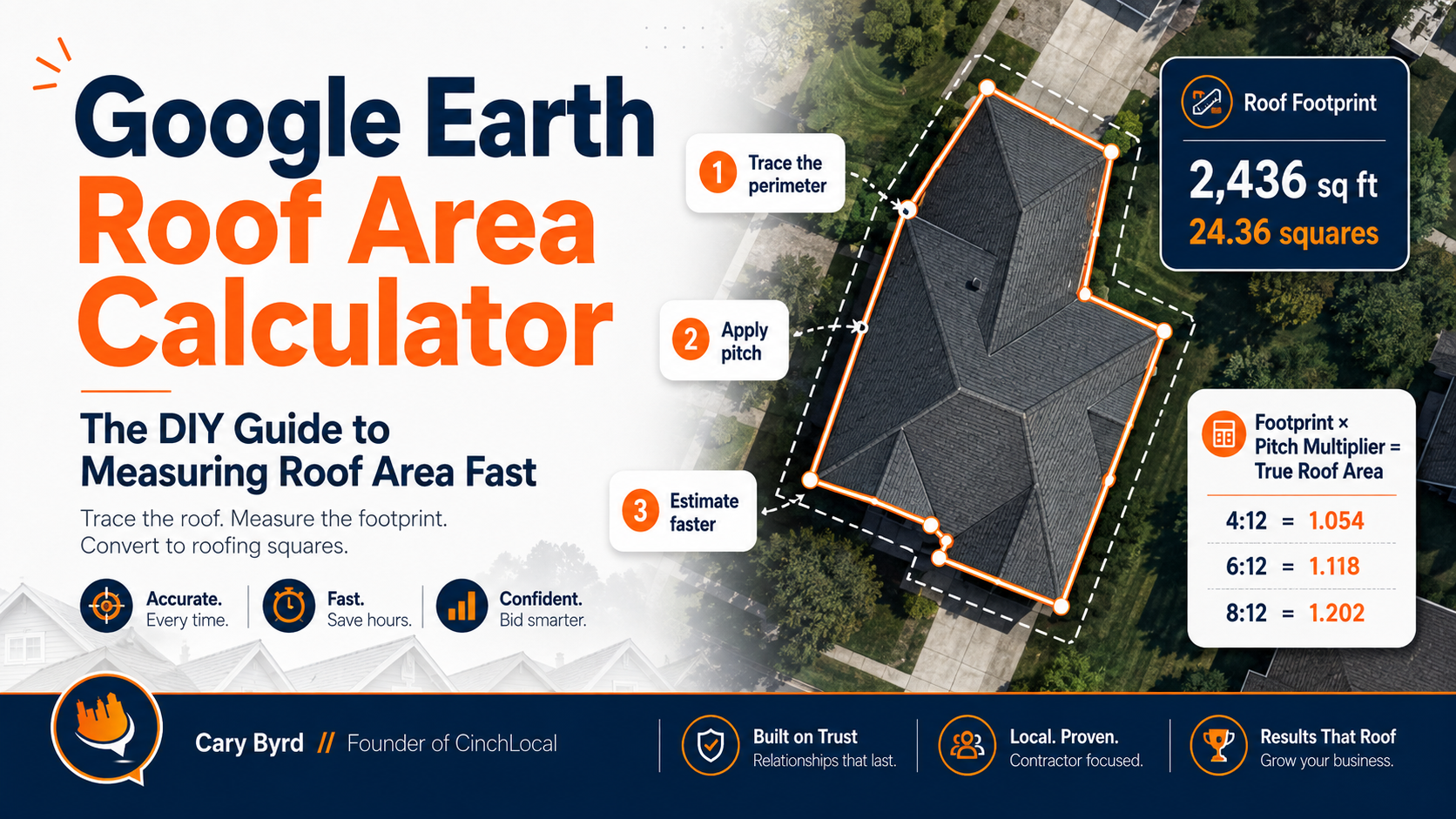
The google earth roof area calculator method lets roofing contractors measure a roof's footprint remotely — no ladder, no site visit, no wasted time — using free satellite imagery straight from Google.
Here's how to use Google Earth as a roof area calculator in 5 steps:
- Go to Google Earth and search the property address
- Switch to a top-down view and disable the 3D Buildings layer
- Click the Measure tool (ruler icon) and select Polygon mode
- Click around the roof's perimeter to trace its outline
- Close the shape — Google Earth displays the area in square feet automatically
Quick answer: Google Earth measures your roof's footprint (the flat, top-down area). For pitched roofs, multiply that number by a pitch multiplier (e.g., 1.06 for a 2:12 pitch, up to 1.414 for a 12:12 pitch) to get the true surface area. Divide by 100 to convert square feet into roofing squares.
Think about this scenario: a homeowner calls you on a Monday morning after a weekend storm. They want a quote today. You haven't been to the property. Do you drive out, climb the roof in uncertain conditions, and burn two hours — or do you pull up the address on Google Earth and have a working estimate in under 15 minutes?
For busy roofing contractors trying to grow a local roofing business without wasting hours on pre-bid site visits, remote satellite measurement is one of the most practical tools available right now. If you want to stop chasing low-quality leads and start measuring jobs you've already won, book a strategy call with CinchLocal today.
I'm Cary Byrd , CEO of CinchLocal and a roofing marketing strategist who has helped contractors sharpen their digital workflows — including using tools like the google earth roof area calculator to win more bids faster. In the guide below, I'll walk you through exactly how to use it, where it breaks down, and how to pair it with field verification for quotes you can actually stand behind.
Enter what you measured from above, add the pitch, and get the real surface area in squares.
Break an L-shape or a garage into rectangles and add them separately.
Homeowners measuring their own roof are not the problem. Being invisible when they give up is.
See where you rankAn estimate, not a quote. Pitch multipliers are exact — the surface of a sloped plane is the footprint times √(rise² + 12²)÷12. What this cannot see is overhang, dormers, chimneys, skylights, valleys, or how many layers are already up there. Every one of those changes the number and only a roofer on the roof can tell you by how much.
How to Use Google Earth as a Roof Area Calculator
Using Google Earth as a google earth roof area calculator is a game-changer for efficiency. At its core, Google Earth uses high-resolution satellite imagery and aerial photography to create a 3D representation of the globe. For us in the roofing industry, the "Measure" tool is the star of the show.
When you search for a property, you aren't just looking at a picture; you are interacting with geospatial data. This allows you to draw shapes directly over a roof to determine its 2D footprint. While the web version is great for quick checks, many professionals prefer Google Earth Pro (the desktop version), which offers more robust features for handling complex GIS data and high-resolution exports.
Before you start clicking, it is helpful to understand the beginner's guide to roofing quotations to ensure your digital measurements translate into a professional bid. According to official Google Earth measurement guides, accuracy is highest when you use a strictly top-down view, as 3D perspective shifts can distort linear distances.
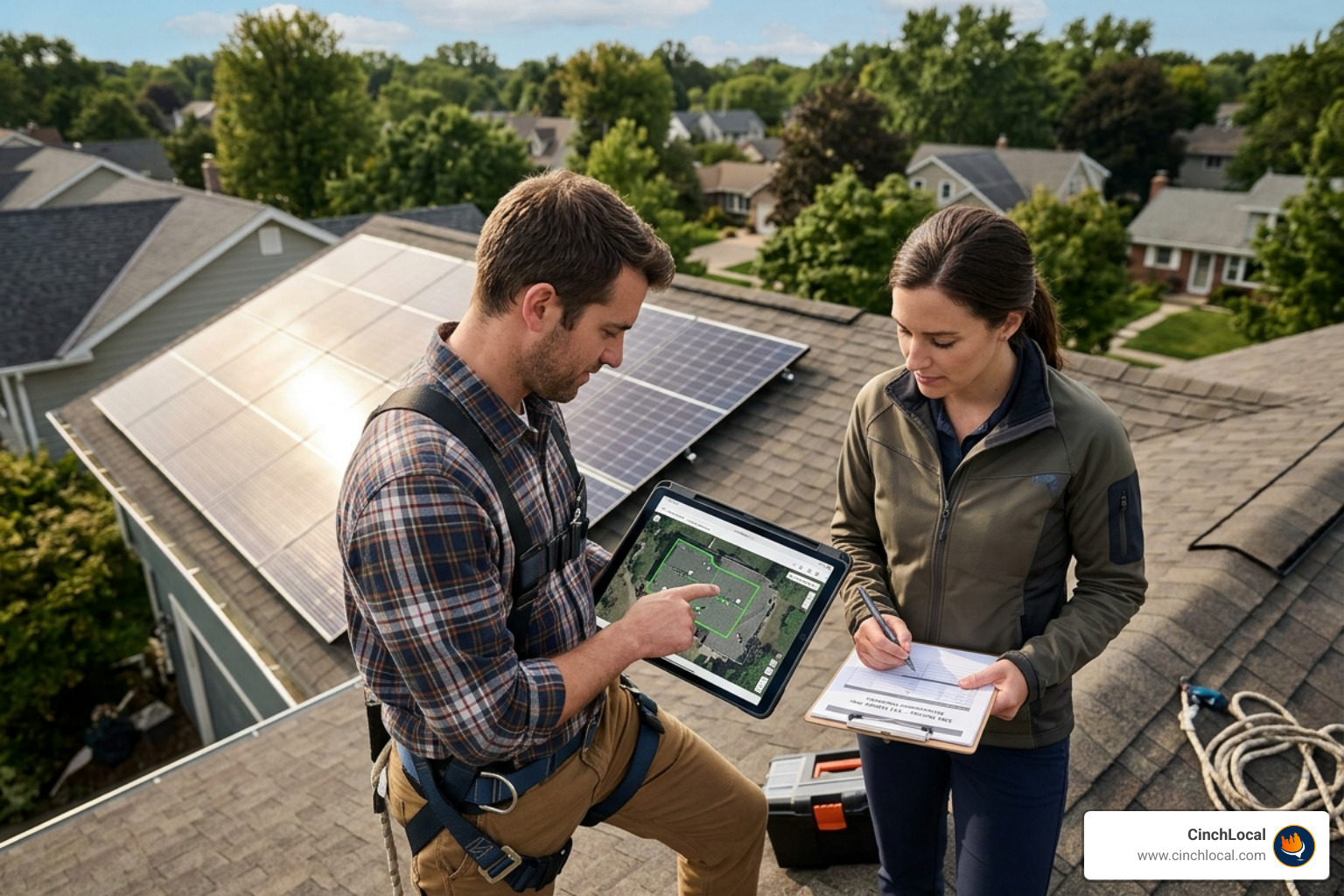
Step-by-Step Instructions for the Google Earth Roof Area Calculator
Ready to get to work? Follow these steps to get an accurate footprint measurement:
- Launch Earth: Open Google Earth Pro on your desktop or the web version in your browser.
- Search the Address: Enter the property address in the search bar. Once it zooms in, use the "U" key on your keyboard to reset the view to a perfect top-down orientation.
- Disable 3D Buildings: This is a crucial step. In the "Layers" panel, uncheck "3D Buildings." This prevents the 3D "mesh" from snapping your cursor to the wrong elevation, which can throw off your square footage by dozens of feet.
- Select the Ruler Tool: Click the ruler icon on the left-hand toolbar. Select the "Polygon" tab.
- Trace the Perimeter: Click on each corner of the roof. If the roof is a simple gable, click the four outer corners. For complex shapes, click every hip and valley corner.
- Close the Shape: Click back on your starting point to close the polygon. The tool will instantly display the Area and Perimeter .
Having these numbers ready allows you to streamline roofing projects with estimate templates, making your sales process much faster than the competition.
Converting Measurements to Roofing Squares
Google Earth usually defaults to square feet or meters. We talk in "squares." One roofing square equals 100 square feet.
To convert your google earth roof area calculator results:
- Total Square Feet / 100 = Roofing Squares.
- Example: A 2,400 sq. ft. footprint equals 24 squares.
This is just the base area. If you are measuring for a metal roof, you’ll need to be even more precise with your perimeter measurements for trim and flashing. You can find more specific tips in this guide on how to measure metal roofs with Google Earth.
Accounting for Pitch and Slope Multipliers
The biggest mistake rookies make with the google earth roof area calculator is forgetting the pitch. Satellite images show a 2D "flat" view. A roof with a steep 12:12 pitch has significantly more surface area than a flat roof covering the same ground space.
To find the true surface area, you must multiply your footprint area by a pitch multiplier. If you can’t get on the roof to use a physical gauge, you can often estimate the pitch from street view or by using a pitch gauge app on your phone while standing at the gable end.
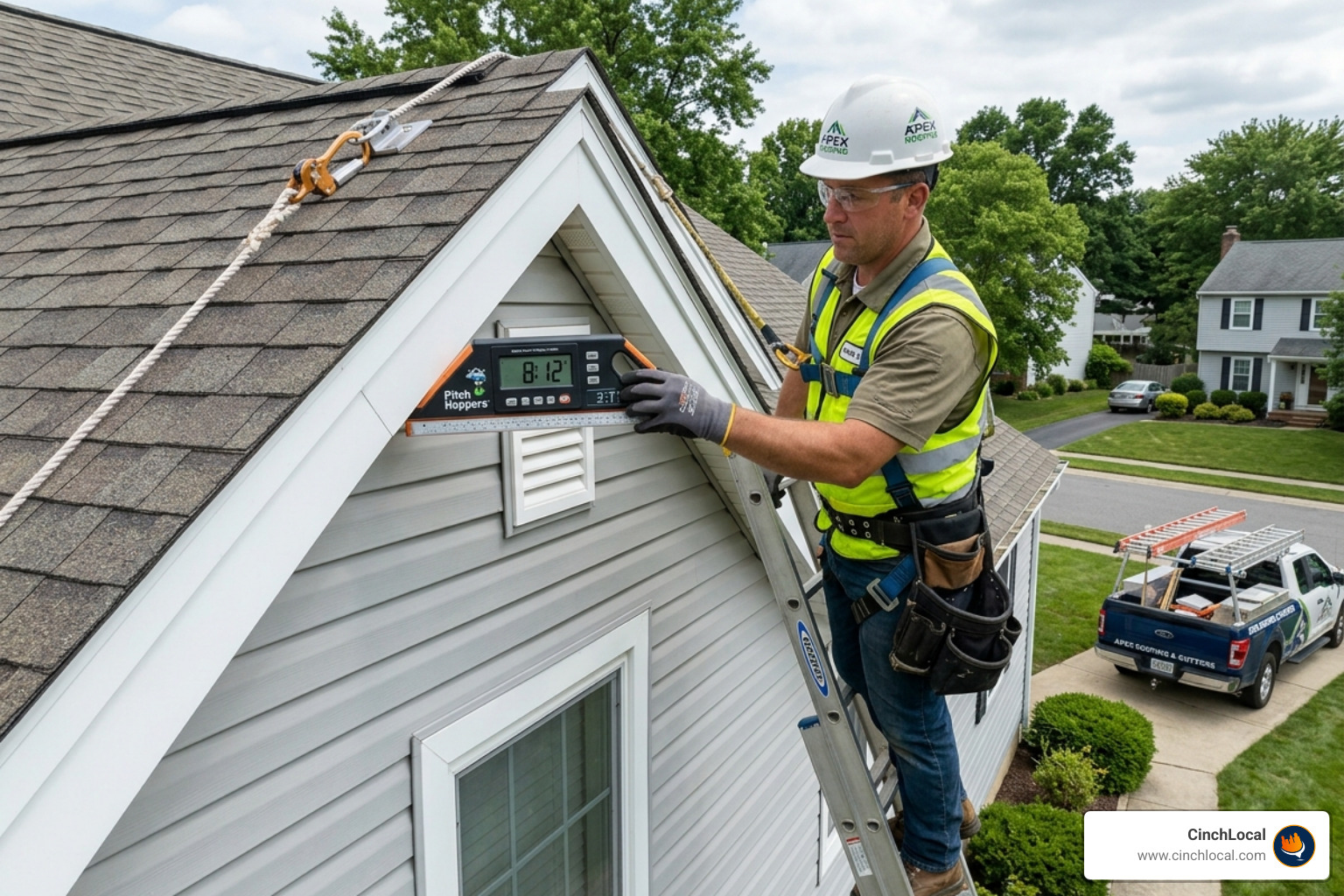
Once you have the pitch, apply the multiplier and then add a waste factor . Standard gable roofs usually require a 5-10% waste factor, while complex hip and valley roofs might need 15-20% to account for cuts and starter strips. This is especially vital when calculating costs for a roof repair after hail guide where material precision impacts your margins.
[TABLE] Roof Pitch Multiplier Reference
| Roof Pitch | Angle (Degrees) | Area Multiplier |
|---|---|---|
| 0:12 (Flat) | 0° | 1.00 |
| 3:12 | 14.04° | 1.03 |
| 4:12 | 18.43° | 1.054 |
| 6:12 | 26.57° | 1.118 |
| 8:12 | 33.69° | 1.202 |
| 10:12 | 39.81° | 1.302 |
| 12:12 | 45° | 1.414 |
For a deeper dive into the math, check out this detailed guide on roof pitch multipliers and formulas.
Limitations and Best Practices for Satellite Measurements
While the google earth roof area calculator is powerful, it isn't magic. There are four main limitations every contractor should watch out for:
- Imagery Age: Google Earth images are typically 1 to 3 years old. If the homeowner added an extension or a dormer last year, it might not show up.
- Tree Coverage: Large oak trees overhanging a roof can make it impossible to see the eaves or valleys.
- Parallax Error: If the satellite was at an angle when the photo was taken, the "top-down" view might actually show a bit of the siding, which skews the measurement.
- Pitch Detection: Google Earth cannot automatically tell you the pitch. You have to input that manually.
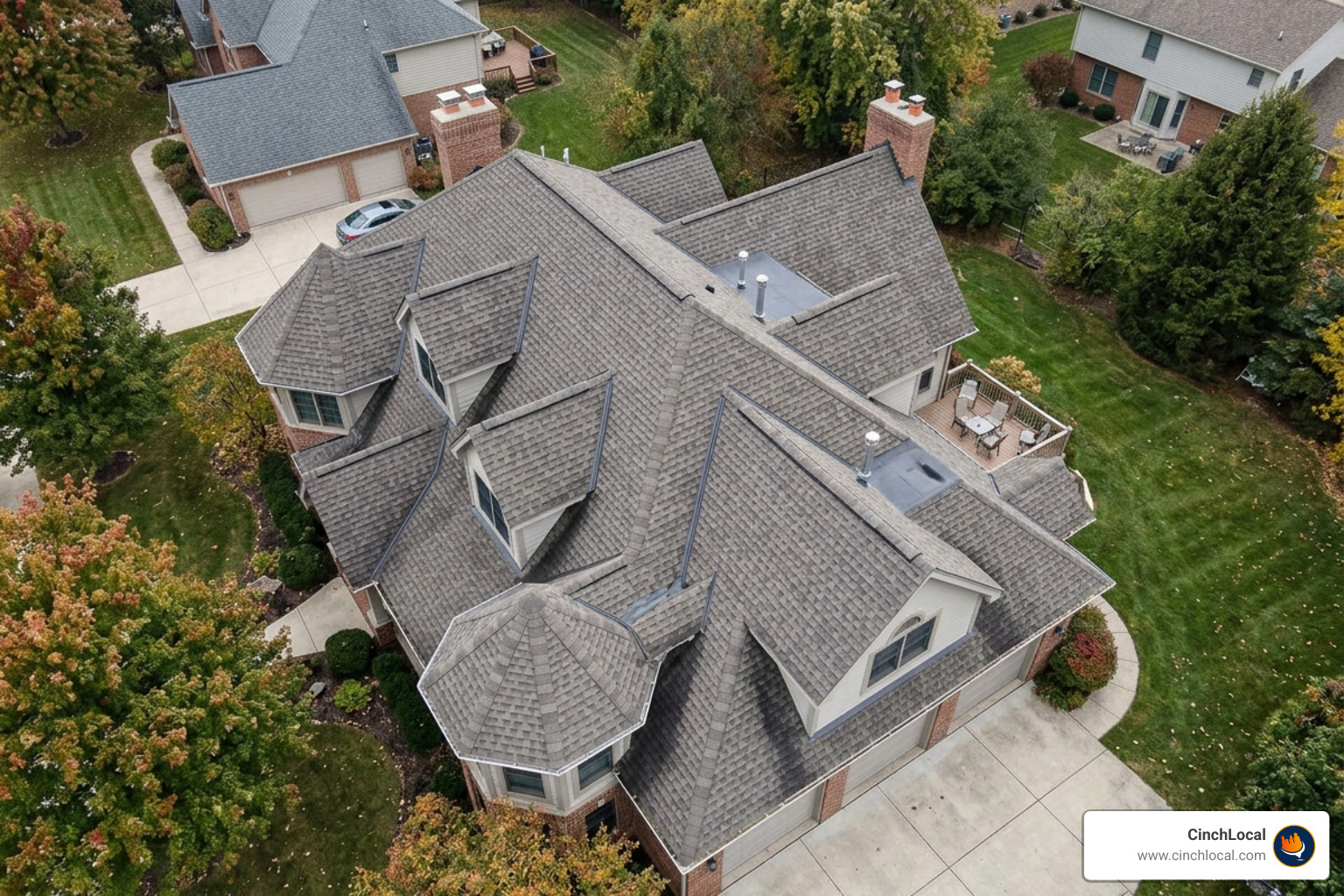
Because of these factors, we always recommend using satellite data as a preliminary estimate. For high-stakes jobs, a drone roof inspection provides much higher resolution and real-time data that satellite imagery simply can't match.
Maximizing Accuracy with the Google Earth Roof Area Calculator
To get the most out of the tool, zoom in until the roof fills the screen, but stop before the image becomes pixelated. Always measure from the outermost edge of the eaves, not the wall line, to ensure you account for overhangs. If you are dealing with a multi-level roof, measure each section at the same elevation separately. This prevents "diagonal" lines that inflate your numbers.
For homeowners considering partial roof replacement options, measuring individual facets is the only way to provide an accurate, localized quote.
Scaling Your Roofing Business with Digital Precision
In 2025, the fastest roofer often wins the job. By mastering the google earth roof area calculator , you position yourself as a tech-forward professional. You can send a "ballpark" estimate within minutes of a lead coming in, which builds massive trust.
However, having the measurements is only half the battle. If homeowners can’t find you when they search for a roofer, your measurement skills won’t matter. This is where Google Maps local SEO for roofers comes into play. By optimizing your digital footprint, you ensure that the leads you are measuring for are high-quality and pre-sold. You can see our proven results for roofing contractors to see how local SEO and efficient workflows lead to more signed contracts.
At CinchLocal, we’ve seen how combining remote estimation with dominant search visibility can transform a business. If you are ready to stop competing on price and start competing on value, contact us to audit your local presence and see how we can fill your pipeline.
Frequently Asked Questions about Google Earth Roof Measurements
How do you measure a roof using Google Earth?
Open Google Earth, search the property address, and switch to a straight-down view with the 3D Buildings layer turned off. Select the ruler icon, choose Polygon mode, and click around the roof perimeter until the shape closes. Google Earth then displays the enclosed area in square feet. That number is the footprint — the flat area seen from above — not the roof surface. To get the surface area, multiply the footprint by the pitch multiplier for that roof.
Can you measure a roof from satellite imagery for free?
Yes. Google Earth and Google Maps both include measuring tools at no cost, and either will give you an accurate footprint from a top-down view. What neither can do is see slope. A 6/12 pitch roof has about 12 percent more surface area than its footprint, and a 12/12 pitch has 41 percent more. Free satellite measurement gets you most of the way; the pitch multiplier finishes the job.
What is a roof pitch multiplier?
A pitch multiplier converts the flat footprint you measured from above into the actual sloped surface area. It is calculated as the square root of the rise squared plus 144, divided by 12. For a 4/12 pitch that gives 1.054, for 6/12 it gives 1.118, and for 12/12 it gives 1.414. Multiply your footprint by the figure for your pitch and you have the true roof area.
How accurate is measuring a roof from Google Earth?
Accurate enough for a preliminary estimate, not accurate enough for a final quote. The footprint measurement itself is usually within a few percent when the imagery is current and taken close to straight down. What it cannot account for is overhang, dormers, chimneys, skylights, valleys, or how many layers are already on the roof. Every one of those changes the material count, and only someone on the roof can confirm them.
How many squares is my roof?
A roofing square is 100 square feet of roof surface. Take your footprint, multiply it by the pitch multiplier, divide by 100, then add a waste factor — typically 10 percent for a simple gable and up to 20 percent for a cut-up roof with hips and valleys. A 40 by 30 footprint at a 6/12 pitch works out to 1,342 square feet, or about 15 squares once 12 percent waste is added.
Why is my roof bigger than the square footage of my house?
Two reasons. Satellite imagery shows the footprint, which is the flat area the roof covers rather than the sloped surface you actually shingle — and the steeper the pitch, the greater the difference. On top of that, the roof extends past the walls at the eaves and rakes, so the footprint of the roof is larger than the footprint of the living space beneath it.
Is Google Earth good enough, or do I need EagleView?
It depends on what the measurement is for. Google Earth is free, immediate, and fine for qualifying a lead, sizing a job before you drive out, or sanity-checking a number. Paid aerial reports from services like EagleView or Hover give you per-facet measurements, pitch detection and a document you can attach to an insurance claim. Most contractors use the free method for triage and pay for a report once the job is worth quoting properly.
Does Google Earth show the current condition of a roof?
Not reliably. Satellite and aerial imagery is often months or years old, and the capture date is shown in the corner of the Google Earth window — check it before you rely on what you are seeing. Storm damage, a recent replacement, or an addition may not appear at all. Use the imagery for measurement and geometry, and verify condition on site.
Conclusion
The google earth roof area calculator is an essential tool in the modern roofer's toolkit. It saves time, reduces safety risks, and allows you to provide rapid-fire estimates that impress homeowners. By understanding the relationship between footprint area, pitch multipliers, and waste factors, you can generate quotes that are surprisingly close to manual tape-measure results.
At CinchLocal, we specialize in helping roofing contractors dominate their local markets. Our "Roofer Footprint Expansion System" is designed to get you more of the leads that you’ll be measuring with these tools. Whether you need help with your website, your Google Maps ranking, or your overall lead generation strategy, we are here to help you scale.
Ready to take your roofing business to the next level? Visit our homepage for more roofing growth strategies and let's start building your footprint today. Our team is ready to help you implement the systems needed to outpace your local competition and secure your market share.
Want Us to Uncover Hidden 'Footprint Gaps' And Critical Blind Spots That’s Quietly Draining Calls, Jobs, and Profits?
Simply Fill Out The Form Below:
What If You Could Stop Wasting $30K+ a Year on Dead-End Marketing - And Finally Become the Go-To Roofer in Your City?
Other Helpful Articles You Might Enjoy