


Cary Byrd // Founder of CinchLocal
How to Use the Google Maps Roof Size Calculator for Accurate Estimates
A google maps roof size calculator lets you measure a roof's area remotely using satellite imagery — no ladder required. Here's how to do it quickly:
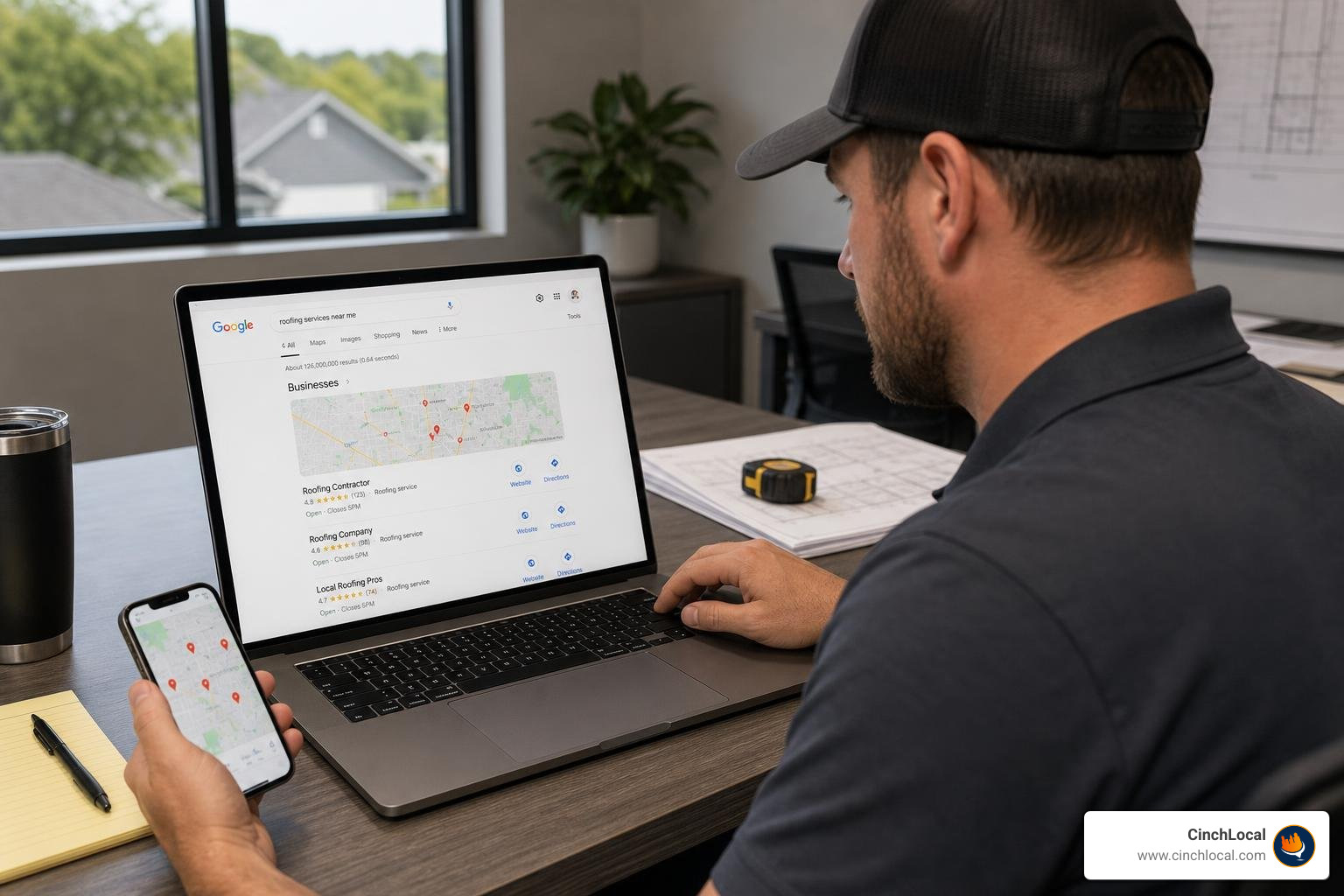
- Open Google Maps and search your property address
- Switch to Satellite view for a clear top-down roof image
- Right-click a roof corner and select "Measure distance"
- Click each corner to trace the roof perimeter
- Multiply the footprint area by your roof pitch multiplier to get true surface area
- Divide by 100 to convert square feet into roofing squares for material orders
For roofing contractors, time is money. Driving out to every job site just to get a rough measurement before you've even quoted the project burns hours you don't have.
That's exactly why so many contractors are turning to satellite-based roof measurement. You can size up a roof, build a preliminary estimate, and send a quote — all without leaving your truck or office.
The tools are free. The satellite imagery is sharp enough for reliable estimates. And once you know how to apply a pitch multiplier to your footprint measurement, your numbers get surprisingly close to what you'd get on-site.
Google Maps measurements are typically 95–98% accurate for linear dimensions when the imagery resolution is high. That's solid enough to start a conversation with a homeowner, even if you'll still want a final on-site measurement before signing a contract.
At CinchLocal, we help roofing contractors turn digital tools like this into real business advantages — more quotes, faster closes, and better Google Maps local SEO for roofers that keeps your phone ringing.
I'm Cary Byrd, CEO of CinchLocal and a roofing marketing specialist who has spent years helping contractors leverage digital tools — including the google maps roof size calculator — to streamline estimates and win more local jobs. In this guide, I'll walk you through exactly how to use these tools like a pro.
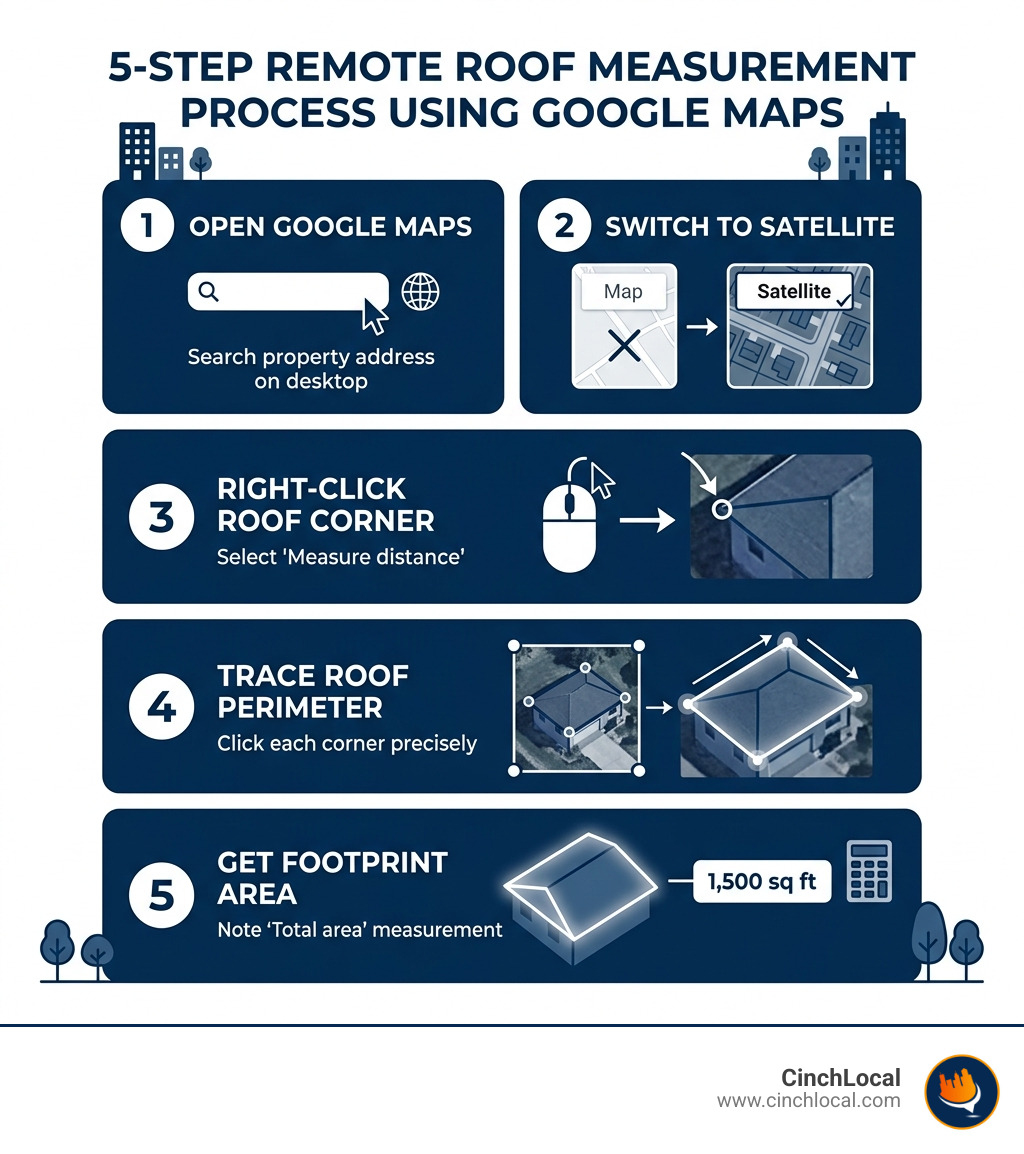

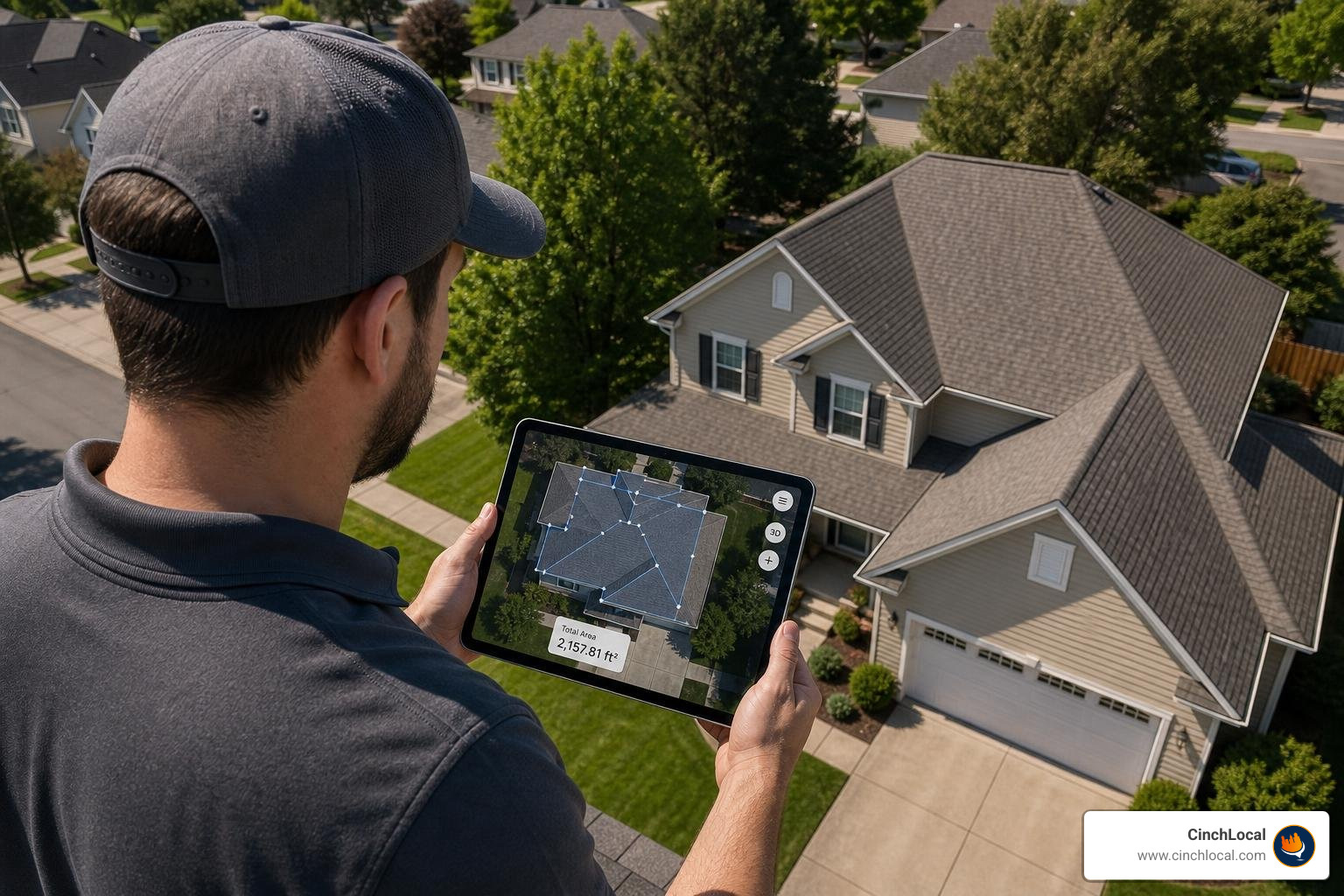
Using a google maps roof size calculator effectively requires more than just eyeballing a photo. To get professional-grade results, you need to utilize the built-in "Measure distance" tool correctly. This tool allows you to draw a polygon directly over the satellite image of a home, providing you with both the perimeter length and the total area of the shape you've traced.
When you right-click on the map, the "Measure distance" option initiates a series of connected points. As you click around the edges of the roof, Google Maps calculates the geodesic area—meaning it accounts for the curvature of the Earth to ensure the math is precise. For a detailed technical breakdown of how these tools function, you can refer to the Official Google Earth measurement guide.
Step-by-Step Navigation for Contractors
For those of us in the roofing industry, speed is essential, but accuracy is paramount. Follow these steps to ensure your digital takeoff is as clean as possible:
- Search the Address : Enter the full property address in the Google Maps search bar.
- Enable Satellite Mode : Click the "Layers" icon in the bottom left and select "Satellite." Ensure "Globe view" is turned on for the highest resolution 3D-capable imagery.
- Zoom In : Zoom in as far as possible until the roof fills the screen. High resolution is key to identifying eave lines versus gutter lines.
- Start Measuring : Right-click a corner of the roof and select "Measure distance."
- Trace the Perimeter : Click every corner of the roof. If the roof has complex angles, use more points to follow the edge precisely.
- Close the Shape : Click back on your starting point. A box will appear at the bottom of the screen showing "Total area" in square feet and "Total distance" (perimeter).
Measuring Complex Shapes and Multi-Level Roofs
Most residential roofs aren't simple rectangles. You’ll encounter gable ends, hips, valleys, and dormers. The best practice is to break the roof down into sections. If a house has a main body and a separate garage or a complex multi-level structure, measure each section as an individual polygon.
For dormers or porches with different slopes, you should calculate their footprint separately. This allows you to apply different pitch multipliers later. If you're a visual learner, this tutorial on measuring roofs with Google Maps provides an excellent walk-through of handling tricky geometries.
Accounting for Pitch: Converting 2D Footprints to 3D Surface Area
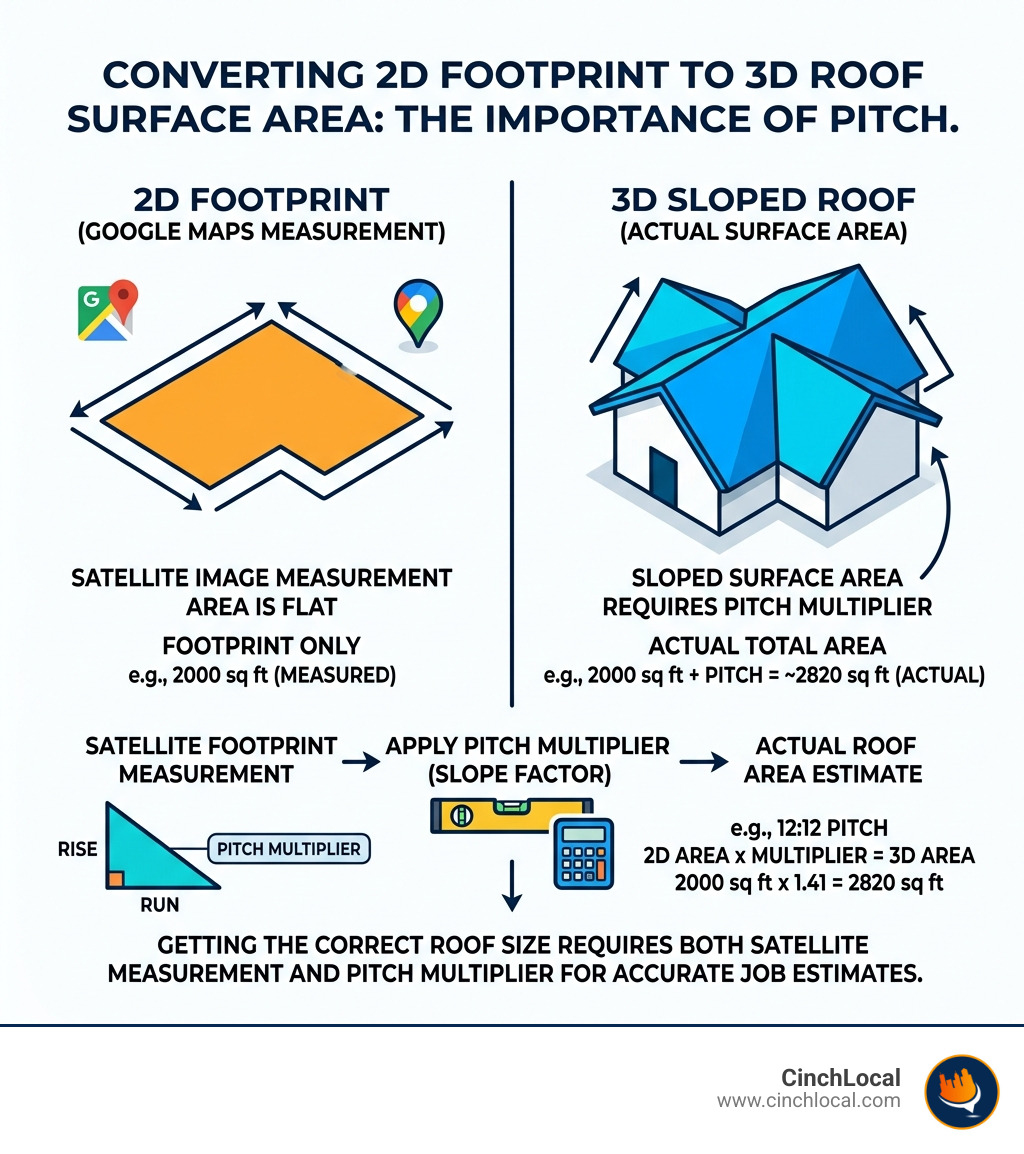
The biggest mistake contractors make when using a google maps roof size calculator is forgetting that satellite images only show a 2D "flat" footprint. A roof with a steep 12:12 pitch has significantly more surface area than a flat roof covering the same ground space. In fact, a 12:12 pitch roof has 41% more surface area than a flat roof with the same footprint.
To bridge this gap, you must apply a pitch multiplier (also known as a slope factor). This is a mathematical constant that converts the flat area you measured on the map into the actual sloped area you’ll be shingling. For a deep dive into this math, check out The DIY Guide To Using A Google Earth Roof Area Calculator.
Why the google maps roof size calculator requires a pitch multiplier
Satellite imagery captures what is known as the "nadir" view—looking straight down. Because of this, it cannot "see" the slope. If you order materials based solely on the 2D area, you will be short on every single job. Applying the correct multiplier ensures your roofing SEO efforts lead to profitable, accurately quoted jobs rather than underbid headaches.
| Roof Pitch | Multiplier (Factor) | Area Increase |
|---|---|---|
| 0:12 (Flat) | 1.00 | 0% |
| 4:12 | 1.054 | 5.4% |
| 6:12 | 1.118 | 11.8% |
| 8:12 | 1.202 | 20.2% |
| 12:12 | 1.414 | 41.4% |
Calculating Roofing Squares for Material Orders
Once you have the true surface area (Footprint x Pitch Multiplier), you need to convert that number into "squares." In the roofing world, one square equals 100 square feet .
If your google maps roof size calculator shows a footprint of 1,500 sq. ft. and the roof has a 6:12 pitch:
- 1,500 x 1.118 = 1,677 sq. ft. (Actual Surface Area)
- 1,677 / 100 = 16.77 Squares
To make this even easier, you can use a dedicated Roof Area Estimator tool that integrates these multipliers automatically. Three bundles of shingles typically cover one square.
Advanced Techniques: Using Google Earth Pro for Precise Dimensioning
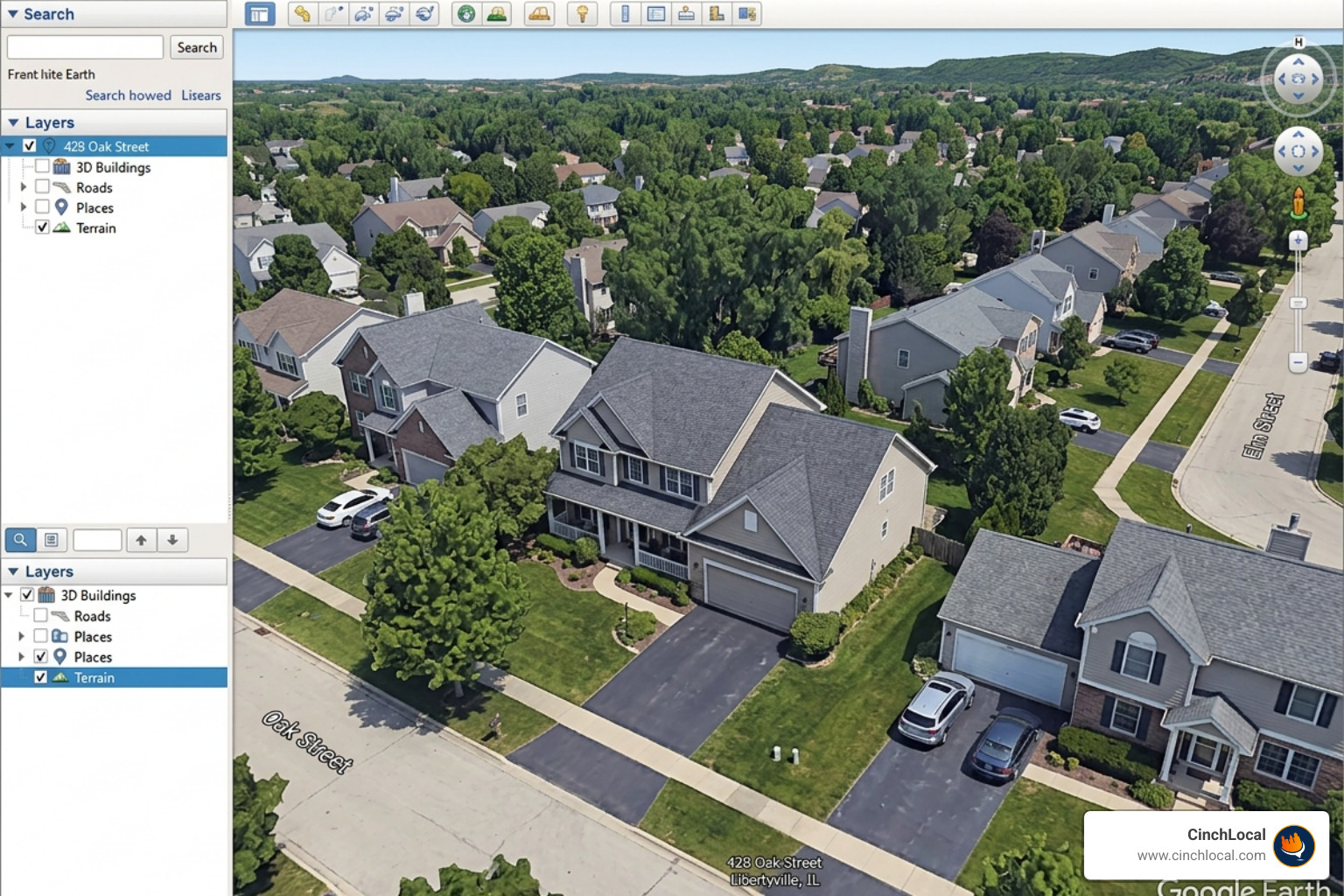
While standard Google Maps is great for a quick look, Google Earth Pro (the desktop version) is the "secret weapon" for pro contractors. It offers advanced features like 3D tilt functionality and historical imagery. This allows you to see the roof from multiple angles, helping you identify vents, chimneys, and ridge lines that might be obscured in a flat 2D view.
Using these high-resolution assets helps you build more professional proposals. When a client sees that you’ve done a detailed digital takeoff, it builds immediate trust. This level of professionalism is a core part of building high-converting roofing websites that turn visitors into leads.
Overcoming Image Distortion and Tilt
Satellite photos aren't always taken from perfectly overhead. Sometimes the camera is at a slight angle, which can cause "parallax error"—making walls look like they are leaning. To minimize this, always look for the "nadir" view where the sides of the building are not visible.
When measuring, try to click on points that are at the same elevation . For example, click all the corners of the eaves first. If you start clicking from an eave to a ridge line without accounting for the height difference, the measurement will be skewed. For more tips on mastering this, read How to Measure a Roof Using Google Earth.
Integrating Satellite Data into Professional Proposals
The goal of using a google maps roof size calculator isn't just to get a number; it's to win the job. You can take screenshots of your measurements and include them in your digital proposals. This transparency shows the homeowner exactly what they are paying for.
At CinchLocal, we see that contractors who use technology to provide "instant" or "remote" quotes often see a 15–30% higher conversion rate . It shortens the sales cycle and positions you as the tech-forward expert in your market. This is a key strategy for generating high-quality roofing leads in competitive areas like California or Texas.
Limitations and Best Practices for Professional Roofing Quotes
As powerful as a google maps roof size calculator is, it has its limits. You shouldn't rely on it 100% for a binding contract without understanding the potential pitfalls.
- Tree Coverage : If a home is surrounded by heavy oak trees, you might not see the eaves at all.
- Outdated Imagery : Satellite maps are updated every 1–3 years. If the homeowner added an extension last six months, it won't show up.
- Hidden Details : Flashing, valley liners, and specific drip edge requirements can't be seen from space.
We always recommend checking our proof of work to see how we help contractors navigate these digital challenges to dominate their local markets.
Determining the Correct Waste Factor
No roof installation uses exactly the amount of material the square footage suggests. You have to account for "waste"—the shingles you cut for valleys, hips, and rakes.
- Simple Gable Roof : 5–10% waste.
- Complex Hip Roof : 15% waste.
- Multiple Valleys/Dormers : Up to 20% waste.
A Haag Engineering study on aerial measurement accuracy found that while digital tools are highly accurate, human error in calculating waste is where most budget overruns happen. Always add your waste factor after the pitch adjustment.
When to Verify with On-Site Measurements
The google maps roof size calculator is your best friend for a "ballpark" quote or a lead-qualifying estimate. However, for a binding contract, you should still perform a final walk-through. This is especially true for insurance claims where every inch counts toward the payout, or for homes with suspected structural damage that a satellite simply cannot detect.
Frequently Asked Questions about Google Maps Roof Size Calculators
How accurate is a google maps roof size calculator?
When using high-resolution imagery, Google Maps is typically 95–98% accurate for linear measurements. However, the total area accuracy depends entirely on the user’s ability to correctly identify the roof pitch and apply the appropriate multiplier.
How do I calculate roofing squares from a google maps roof size calculator?
Take the total square footage provided by the Google Maps measurement tool, multiply it by the pitch factor (e.g., 1.118 for a 6:12 pitch), add your waste factor (usually 10-15%), and then divide the final number by 100.
Can I use satellite imagery for solar panel installation estimates?
Yes, but you need to account for the "azimuth" (the direction the roof faces) and shading from trees or chimneys. Tools like the Free interactive roof area calculator often integrate with solar data to provide sunlight exposure estimates.
Conclusion
The digital transformation of the roofing industry is here. Using a google maps roof size calculator allows you to accelerate your sales cycle, reduce fuel costs, and provide a better customer experience. By mastering these remote tools, you give your business a massive competitive advantage.
At CinchLocal, we specialize in helping roofing contractors across the USA—from Ohio to California—scale their businesses using the "Roofer Footprint Expansion System." We don't just help you measure roofs; we help you dominate the map so you're the first person homeowners call.
Ready to stop chasing leads and start closing them? Scale your business with roofing SEO and let us put your growth on autopilot. Contact us today for a consultation.
Want Us to Uncover Hidden 'Footprint Gaps' And Critical Blind Spots That’s Quietly Draining Calls, Jobs, and Profits?
Simply Fill Out The Form Below:
What If You Could Stop Wasting $30K+ a Year on Dead-End Marketing - And Finally Become the Go-To Roofer in Your City?
Other Helpful Articles You Might Enjoy